User Experience Design

redesign

UI DESIGN

PROTOTYPING

DASHBOARD

prototyping

PRoblem identification

USER STUDY

interview

About the project

About the project

About the project

After completing my sixth semester as an exchange student in France, I joined the Indian Institute of Technology Bombay to design a web application for Project Udaan, a long-running initiative aimed at building an AI-powered translation platform for converting engineering textbooks and academic materials from English into regional Indian languages. The project involved cross-institutional stakeholders, including Bank of Baroda, All India Council for Technical Education (AICTE), and Pepstudy.

After completing my sixth semester as an exchange student in France, I joined the Indian Institute of Technology Bombay to design a web application for Project Udaan, a long-running initiative aimed at building an AI-powered translation platform for converting engineering textbooks and academic materials from English into regional Indian languages. The project involved cross-institutional stakeholders, including Bank of Baroda, All India Council for Technical Education (AICTE), and Pepstudy.

After completing my sixth semester as an exchange student in France, I joined the Indian Institute of Technology Bombay to design a web application for Project Udaan, a long-running initiative aimed at building an AI-powered translation platform for converting engineering textbooks and academic materials from English into regional Indian languages. The project involved cross-institutional stakeholders, including Bank of Baroda, All India Council for Technical Education (AICTE), and Pepstudy.

Client:

IIT Bombay, Bank of Baroda, AICTE

Client:

Services:

Domain

UI/UX Design

Time frame:

Time frame

6 Months

Client:

IIT Bombay, Bank of Baroda, AICTE

Client:

Time frame:

Time frame

6 Months

Services:

Domain

UI/UX Design

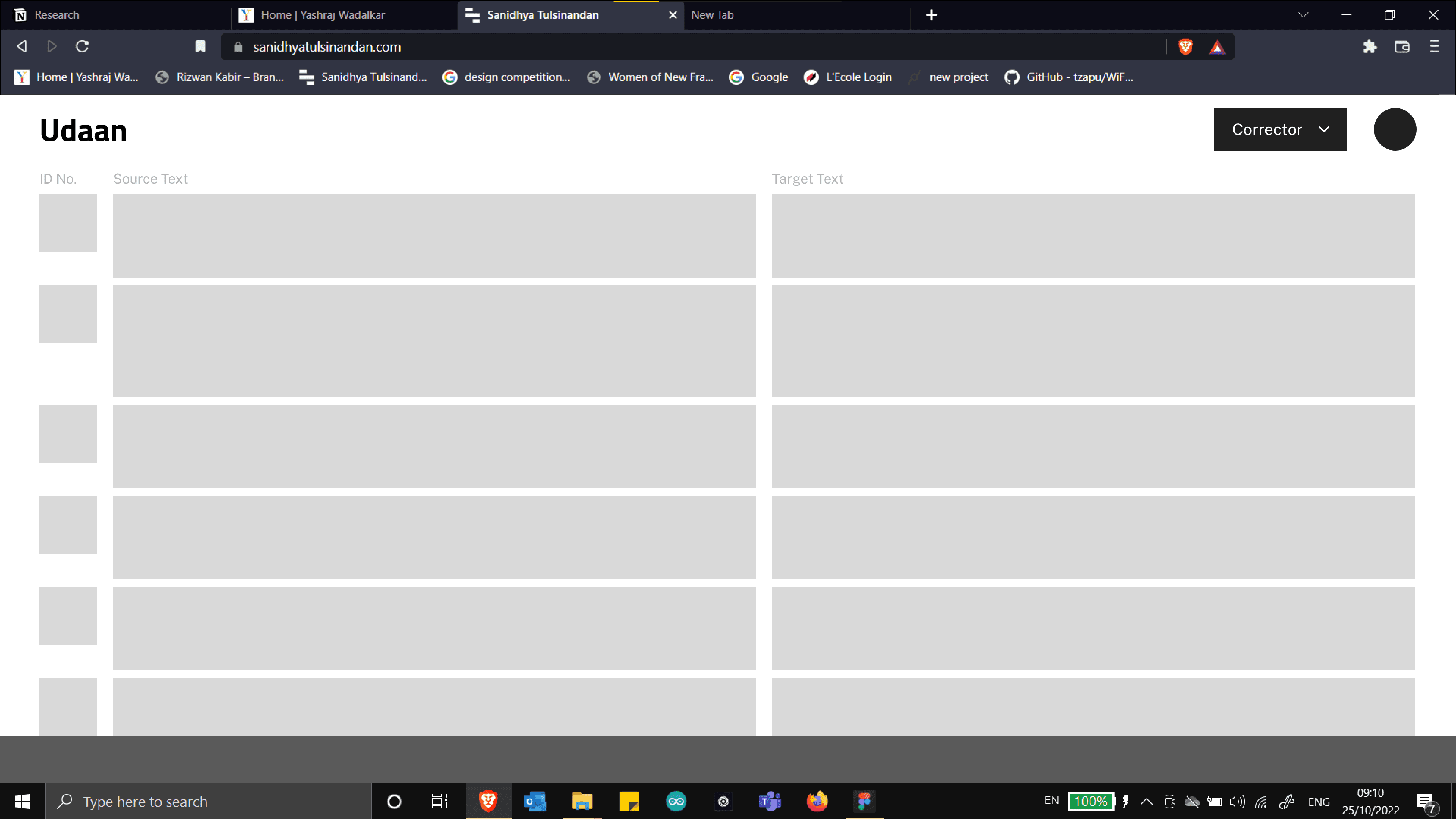
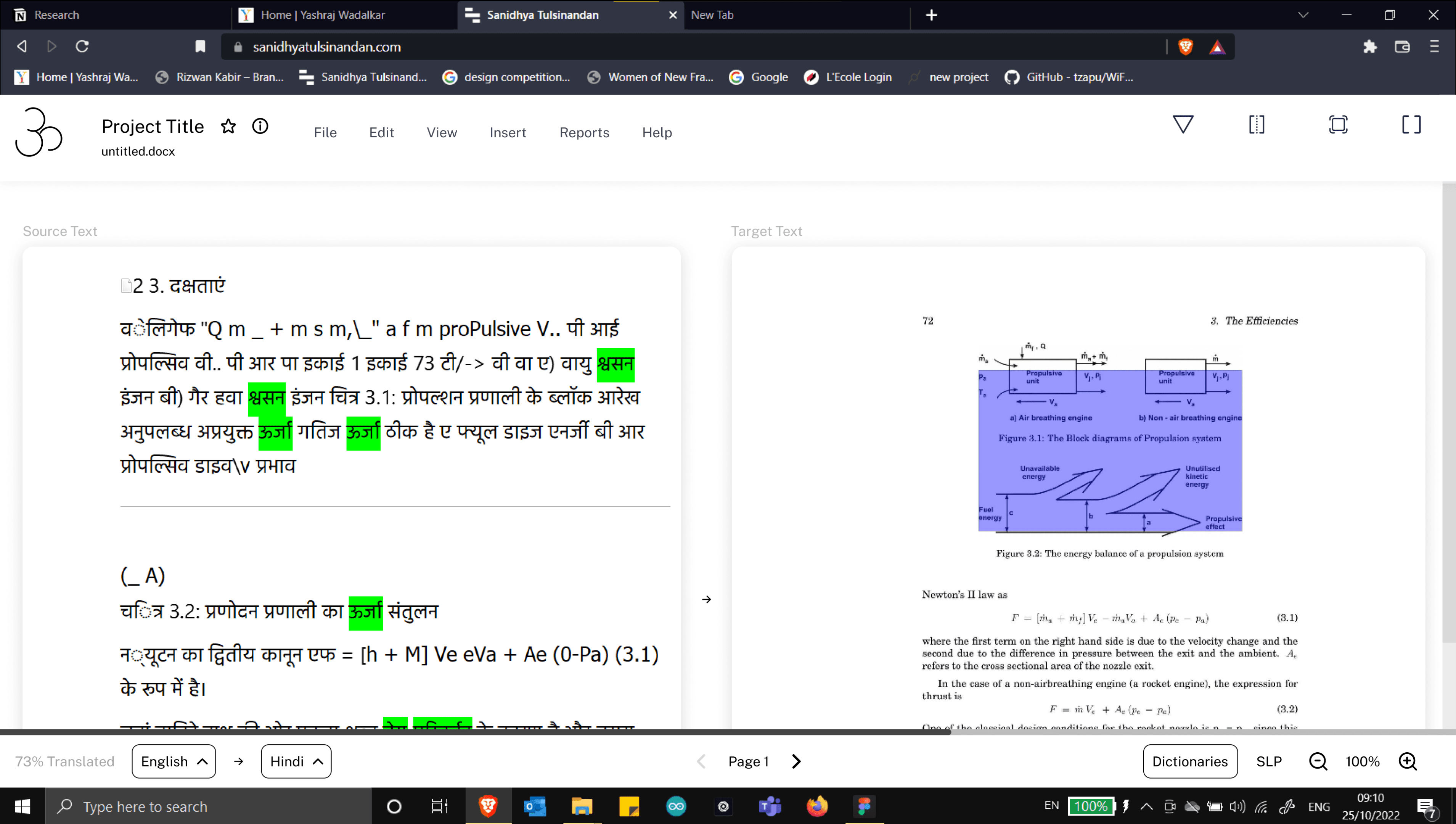
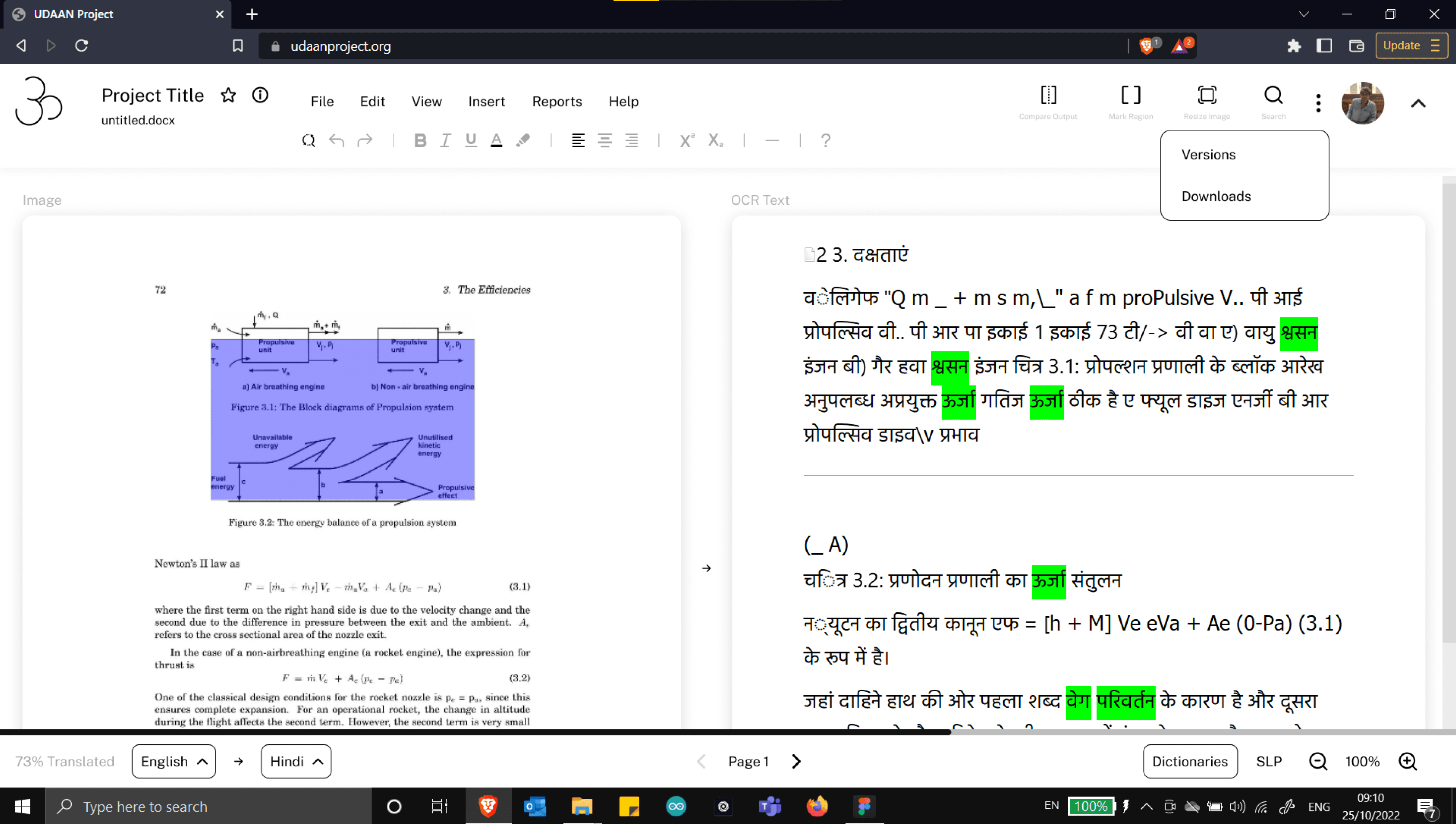
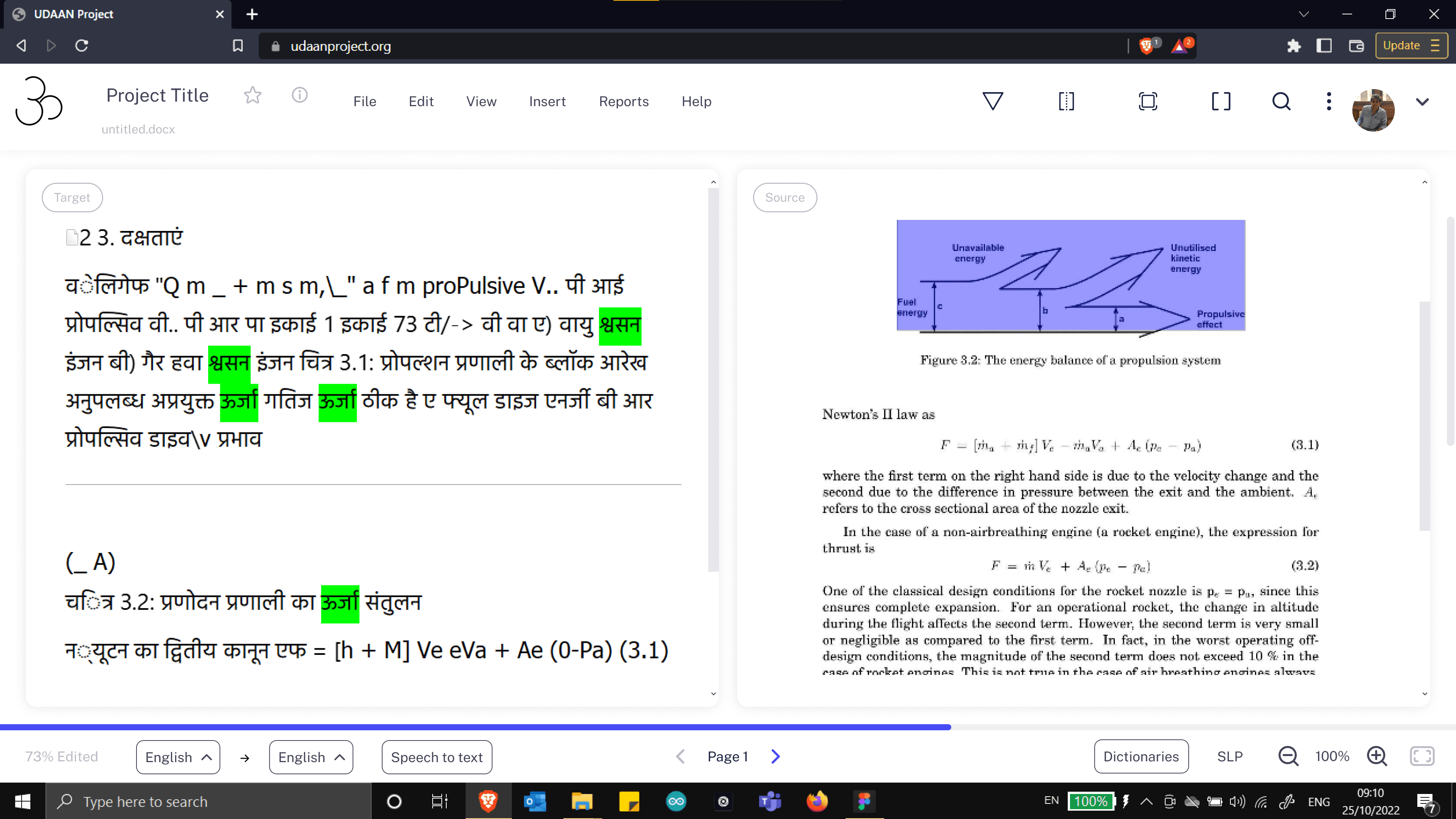
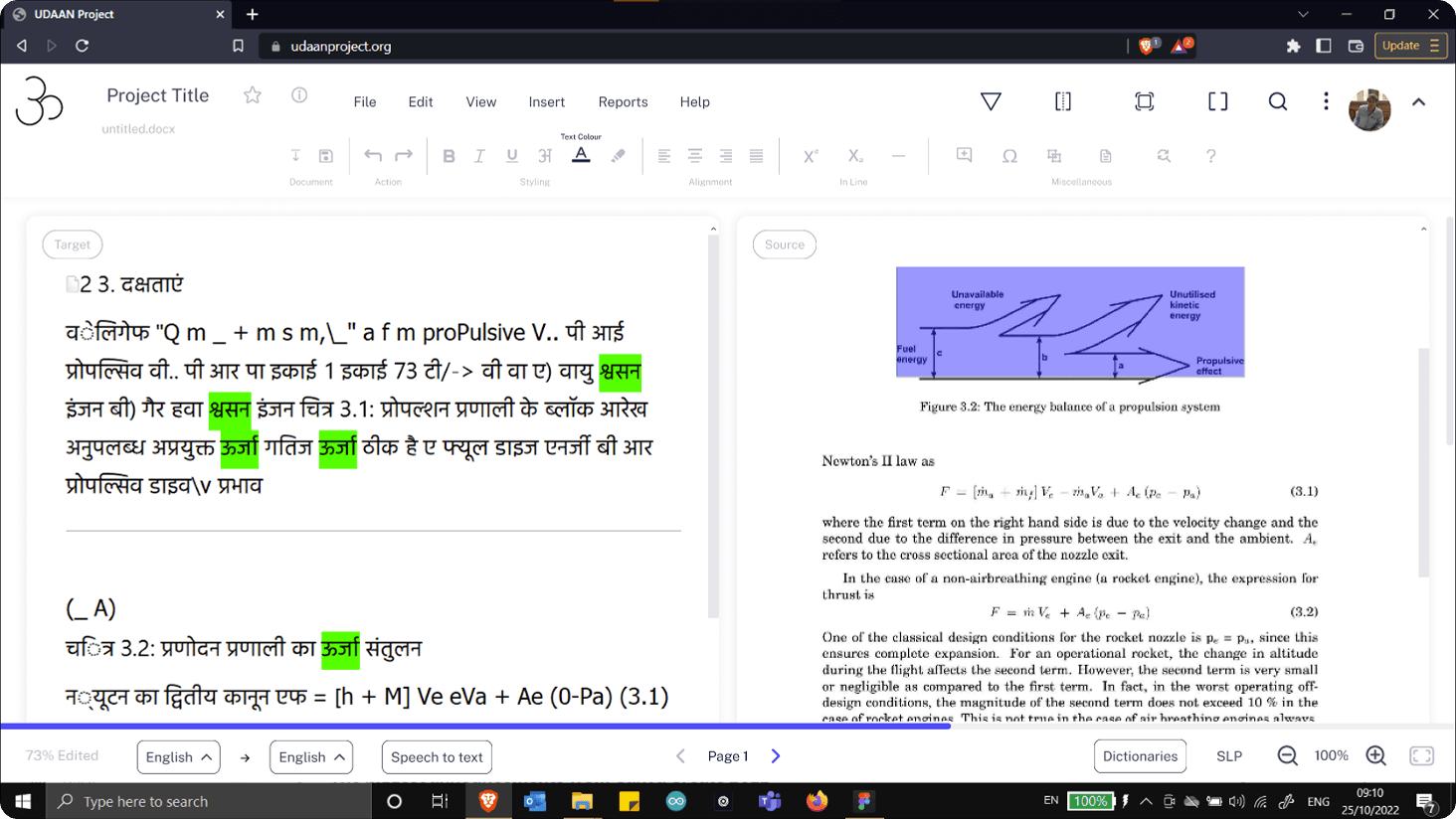
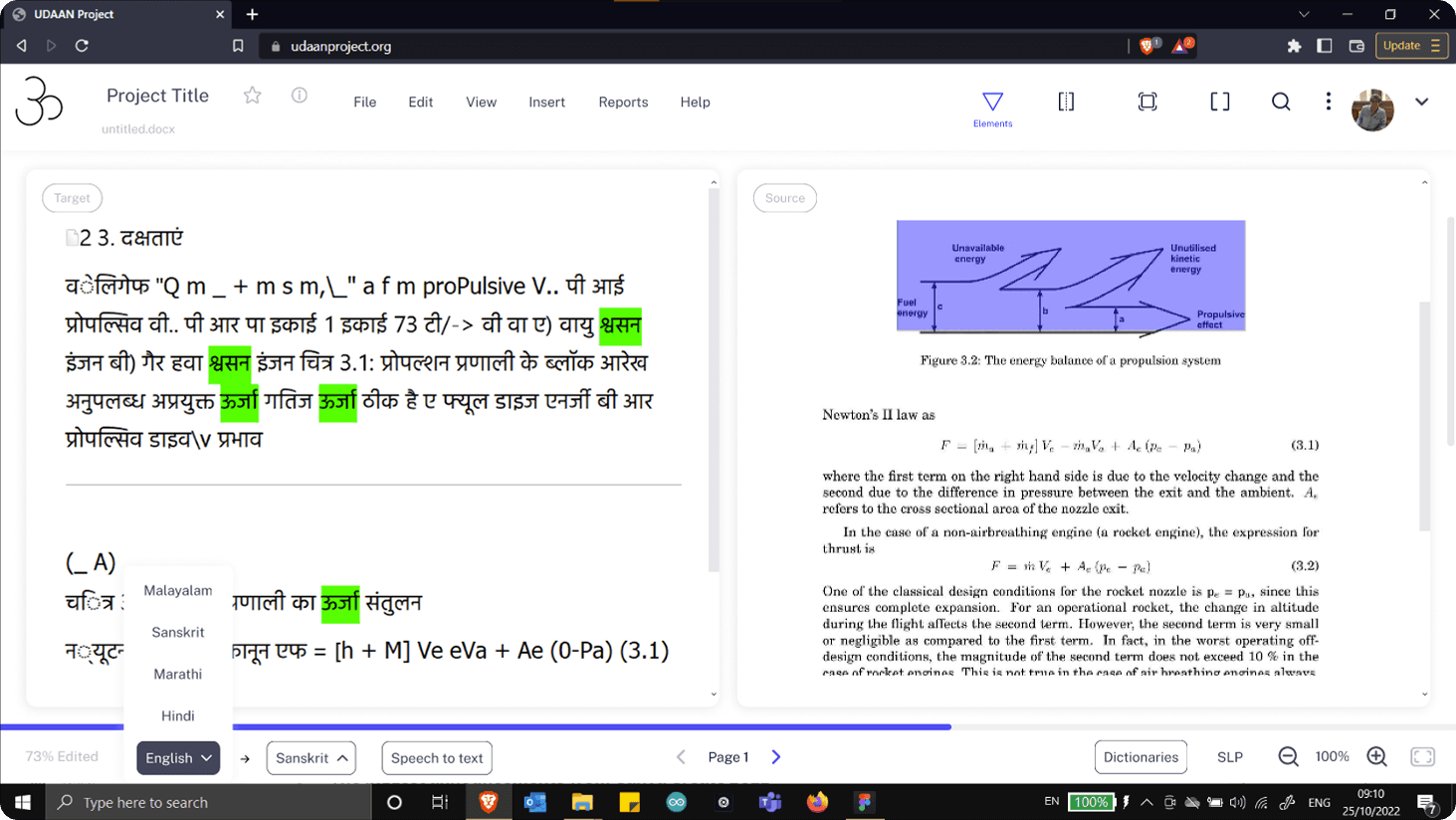
The final redesigned version of iit bOMBAY'S AI-TRANSLATION TOOL

The final redesigned version of iit bOMBAY'S AI-TRANSLATION TOOL

About Project Udaan

Project Udaan is an AI-based translation tool developed at IIT Bombay to break the language barrier in higher education. It enables the rapid translation of engineering textbooks and technical study materials from English into Indian languages, aiming to make learning accessible to students in non-English-medium institutions. The tool is primarily used by post-editors at the All India Council of Technical Education (AICTE).

In India, language barriers in education pose a huge challenge. Most higher education content (especially in engineering and science) is in English, which means students not fluent in English struggle to keep up. As a result, a vast majority of students (over 80%) are left behind due to language being a barrier rather than a medium

Project Udaan was conceived to bridge this gap by translating textbooks into native languages – but doing this manually is extremely slow and resource-intensive, often taking months for experts to translate a single book.

The target users of the web application are the post-editors refining the AI-translated engineering textbooks.

Project Udaan is an AI-based translation tool developed at IIT Bombay to break the language barrier in higher education. It enables the rapid translation of engineering textbooks and technical study materials from English into Indian languages, aiming to make learning accessible to students in non-English-medium institutions. The tool is primarily used by post-editors at the All India Council of Technical Education (AICTE).

In India, language barriers in education pose a huge challenge. Most higher education content (especially in engineering and science) is in English, which means students not fluent in English struggle to keep up. As a result, a vast majority of students (over 80%) are left behind due to language being a barrier rather than a medium

Project Udaan was conceived to bridge this gap by translating textbooks into native languages – but doing this manually is extremely slow and resource-intensive, often taking months for experts to translate a single book.

The target users of the web application are the post-editors refining the AI-translated engineering textbooks.

Problem statement of this project

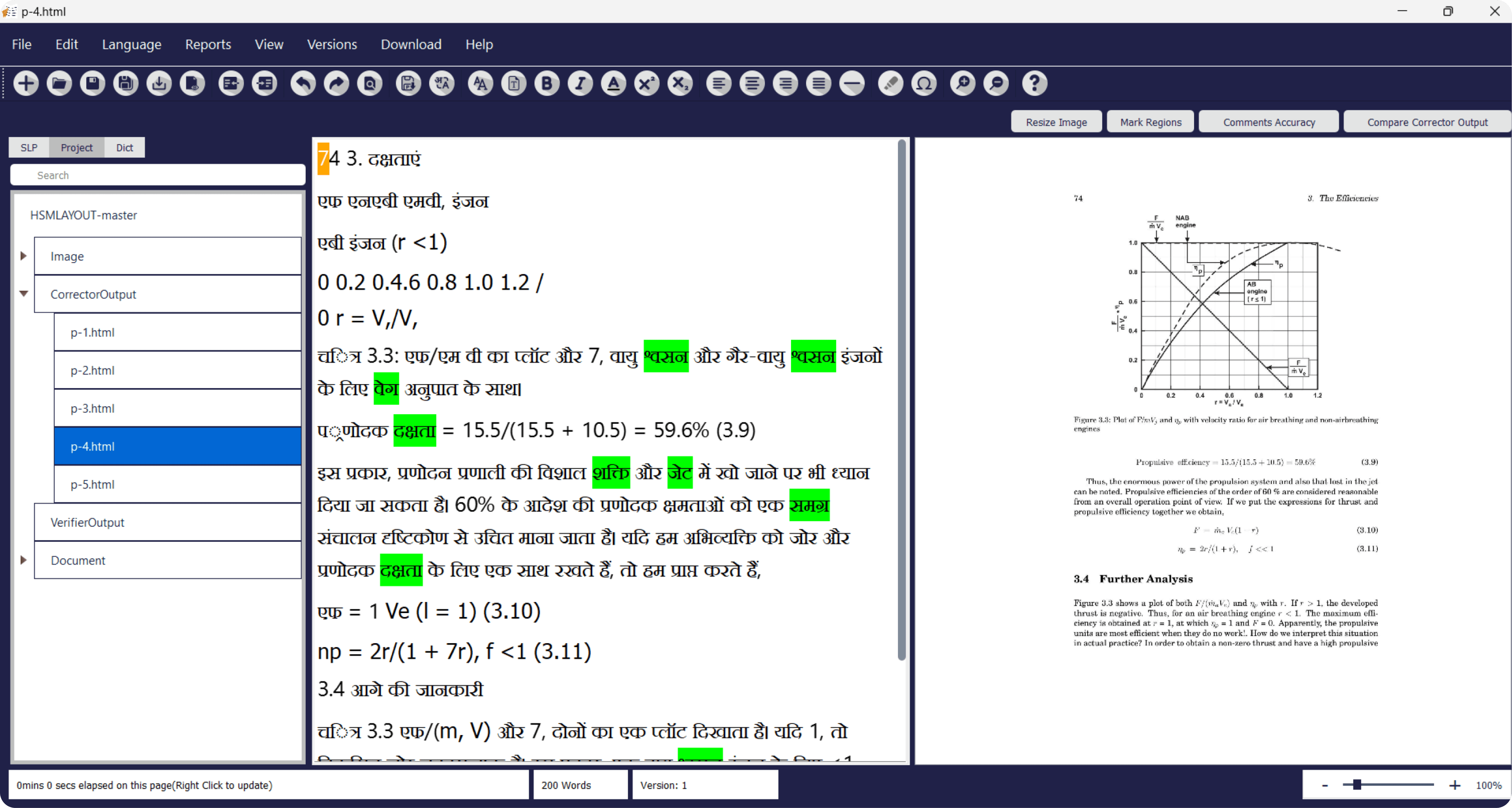
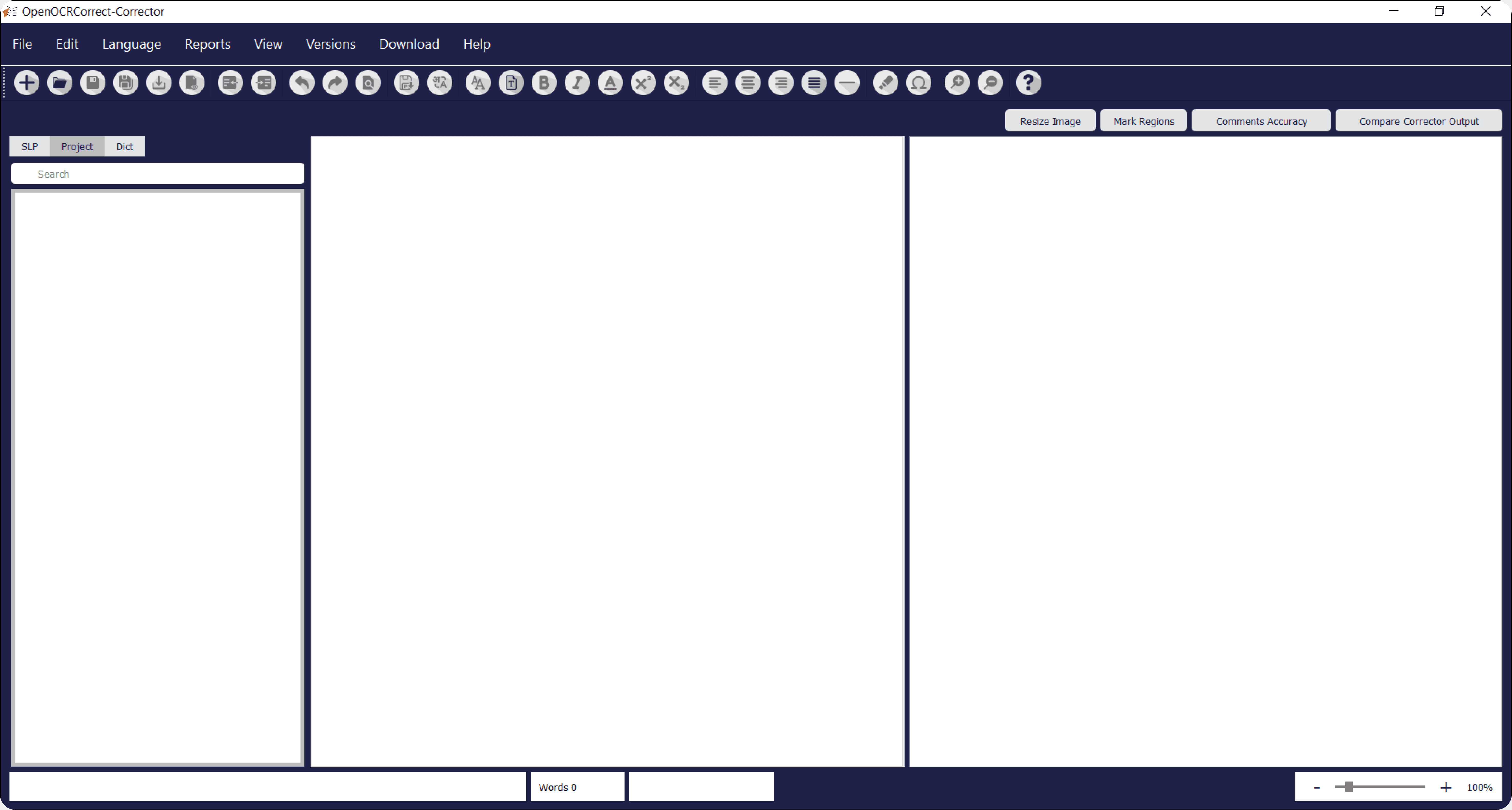
The development team had developed a rudimentary desktop application (built on a text editor called QPad) with an AI-based machine translation engine. The post-editor used this tool for editing the AI-translated books. However, this desktop application was not intuitive, had accessibility issues, and usability errors.

The development team had developed a rudimentary desktop application (built on a text editor called QPad) with an AI-based machine translation engine. However, this desktop application was not intuitive, had accessibility issues, and usability issues.

The core question while designing for Project Udaan:

The core question while designing for Project Udaan:

How might we enable faster, scalable editing of the AI-translated textbooks, enhancing the efficiency of the post-editors?

How might we enable faster, scalable editing of the AI-translated textbooks, enhancing the efficiency of the post-editors?

The old DEsktop application of iit bOMBAY'S AI-TRANSLATION TOOL

Research & Insights

To tackle the problem, I started with thorough research – both secondary research (desk study) and primary research (user study) – to understand the landscape of translation and the users' needs.

Landscape Study: I analysed existing translation tools and workflows. Academic research pointed out that many current Computer-Aided Translation (CAT) tools rely heavily on translation memory and glossaries, but still require extensive post-editing by humans.

User Shadowing & Interviews: I then spoke with and observed 20+ professional post-editors who were involved with the textbook translation-editing initiative using the Udaan Tool.

Here are the key insights from my research

To tackle the problem, I started with thorough research – both secondary research (desk study) and primary research (user study) – to understand the landscape of translation and the users' needs.

Note: most post-editors using this tool were over 40 years old, meaning they were dealing lower vision and digital literacy (though well-versed with computer applications).

Here are the problems are discovered from the interview sessions with the post-editors from All India Council of Technical Education (AICTE)

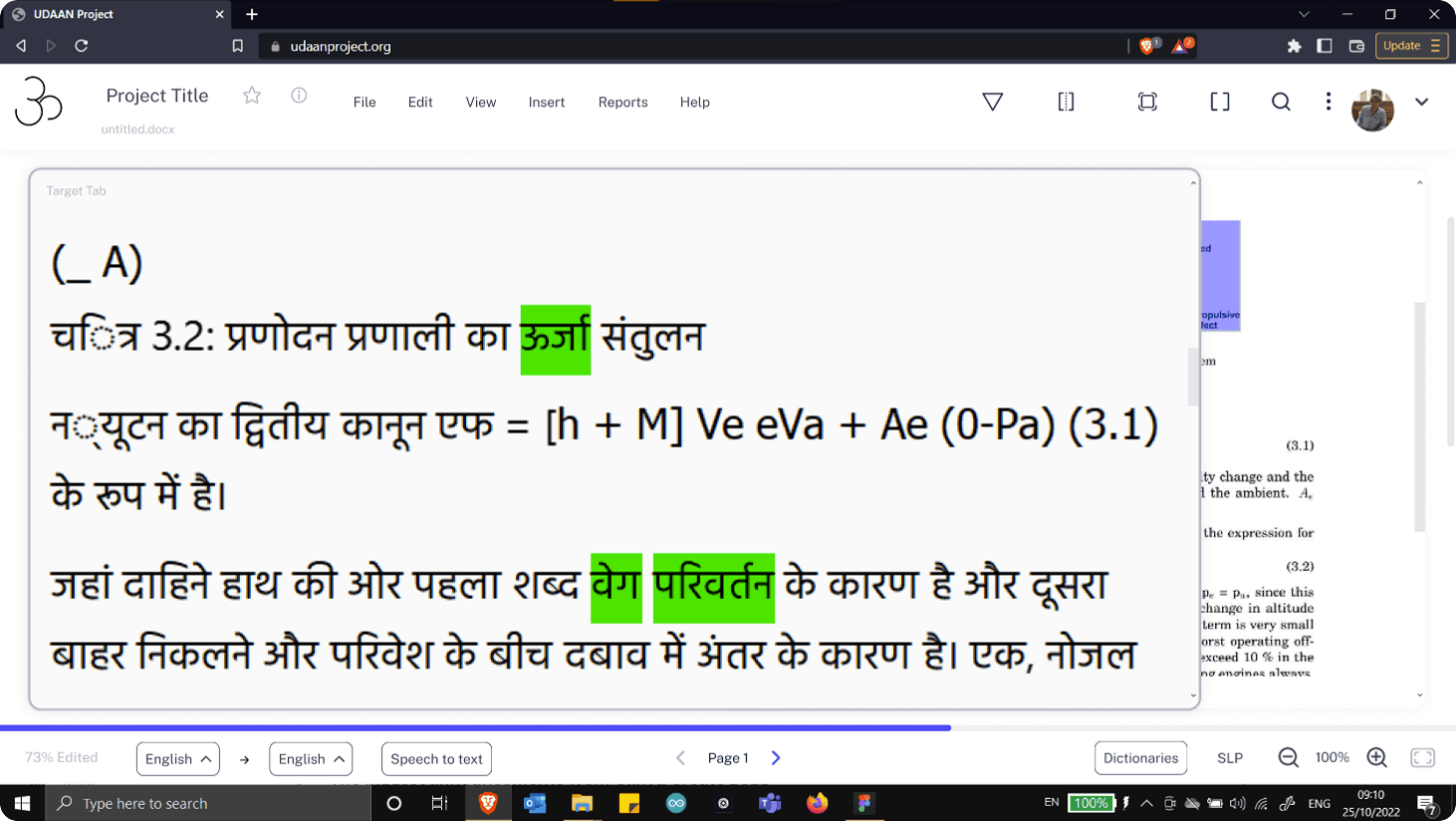
  1. Post-editors faced trouble reading the text due to small font. They wanted to zoom into the text while editing.

  1. In some projects, the post-editors would want to collaborate with fellow editors, but the tool lacked such features

  1. They struggled to understand several features due to unclear icons.

  1. Observing them while working also revealed that they were adding diagrams, tables and figures was repetitive, cumbersome, and difficult to track.

  1. Observation revealed that adding diagrams, tables, and figures was repetitive, cumbersome, and hard to track.

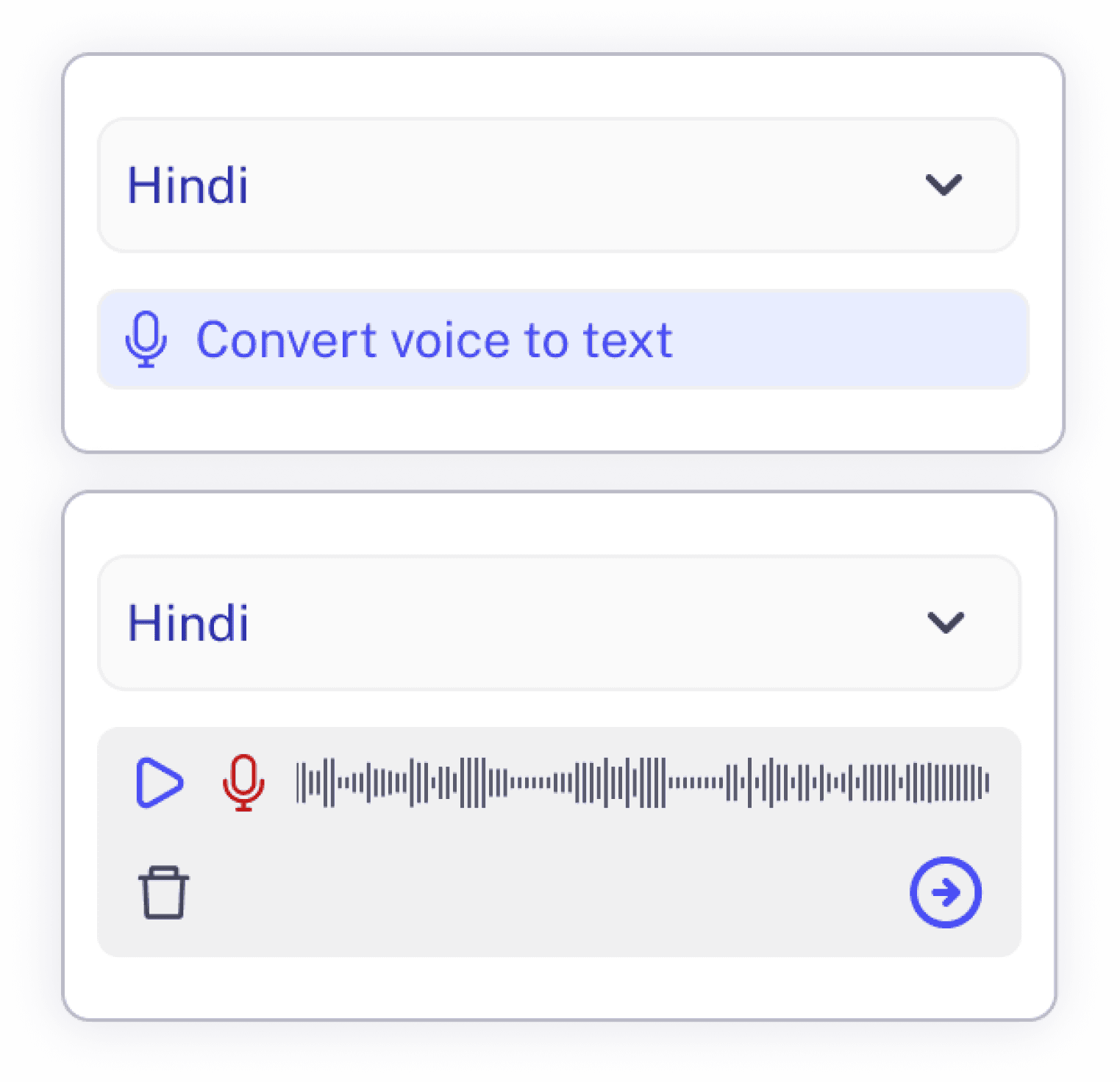
  1. The team also introduced the speech-to-text feature eventually. Therefore, I designed that feature exclusively in the web application

  1. The team later introduced a speech-to-text capability, which I designed exclusively for the web application.

  1. They also wanted a way to track their completion rate and the remaining bits of the whole book.

  1. Post-editors faced trouble reading the text due to small font. They wanted to zoom into the text while editing.

  1. Observation revealed that adding diagrams, tables, and figures was repetitive, cumbersome, and hard to track.

  1. In some projects, the post-editors would want to collaborate with fellow editors, but the tool lacked such features

  1. The team later introduced a speech-to-text capability, which I designed exclusively for the web application.

  1. They struggled to understand several features due to unclear icons.

  1. They also wanted a way to track their completion rate and the remaining bits of the whole book.

Concept Proposal and feature implementation

Categorization and accessibility

Language

Language

You can switch the language while editing with the speech-to-text feature

You can switch the language while editing with the speech-to-text feature

Personalization

Personalization

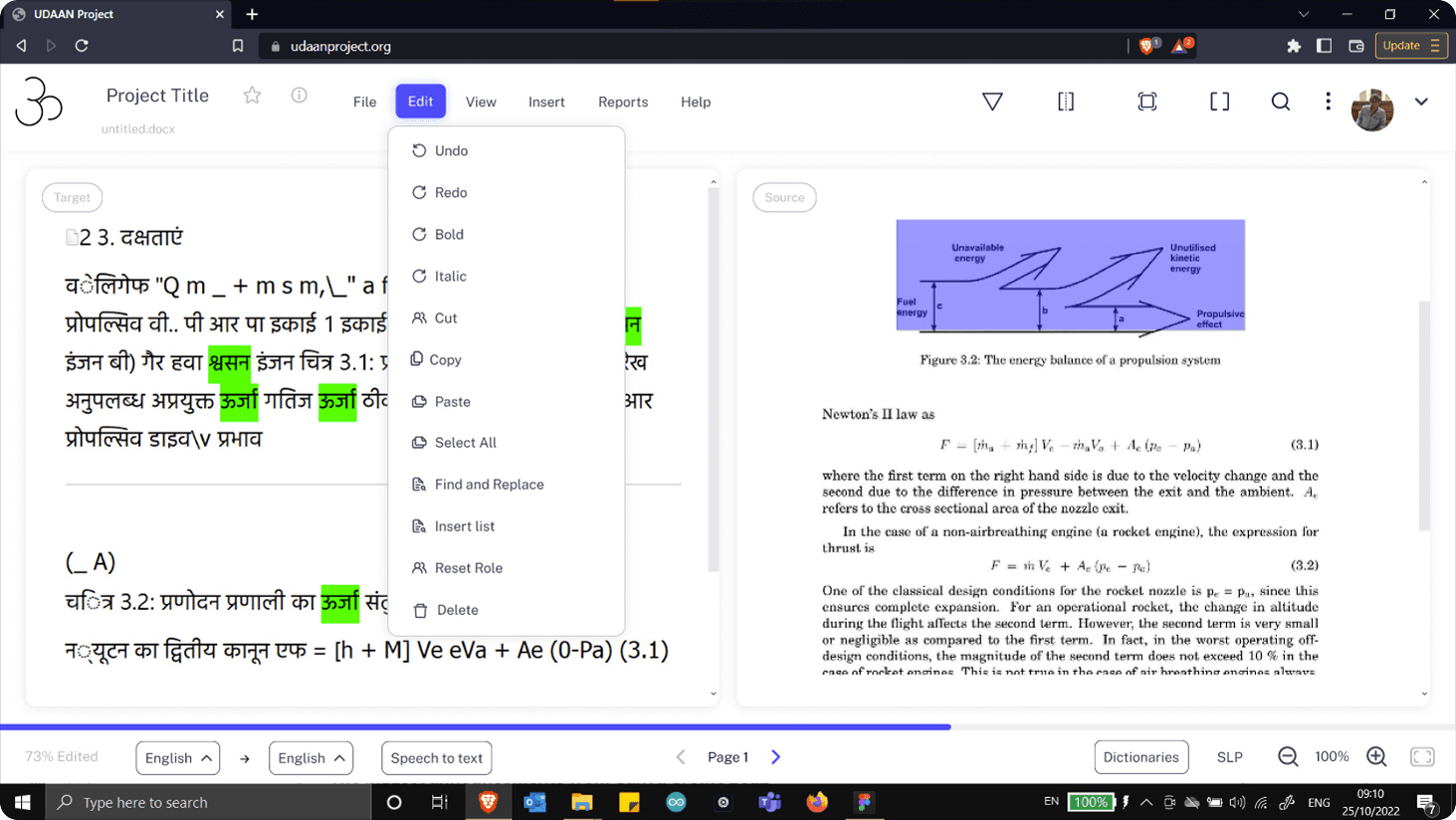
Access levels can be controlled by assigning roles such as verifier, corrector, or project manager.

Access levels can be controlled by assigning roles such as verifier, corrector, or project manager.

Ease of access

Ease of access

Post-editors can focus on specific tabs and learn feature functions via hover labels.

Post-editors can focus on specific tabs and learn feature functions via hover labels.

Legibility and clarity

Legibility and clarity

The interface is easy to navigate, enabling quick access to tables, diagrams, and equations.

The interface is easy to navigate, enabling quick access to tables, diagrams, and equations.

Language

You can switch the language while editing with the speech-to-text feature

Personalization

Access levels can be controlled by assigning roles such as verifier, corrector, or project manager.

Ease of access

Post-editors can focus on specific tabs and learn feature functions via hover labels.

Legibility and clarity

The interface is easy to navigate, enabling quick access to tables, diagrams, and equations.

Innovative features streamline and accelerate the post-editing workflow

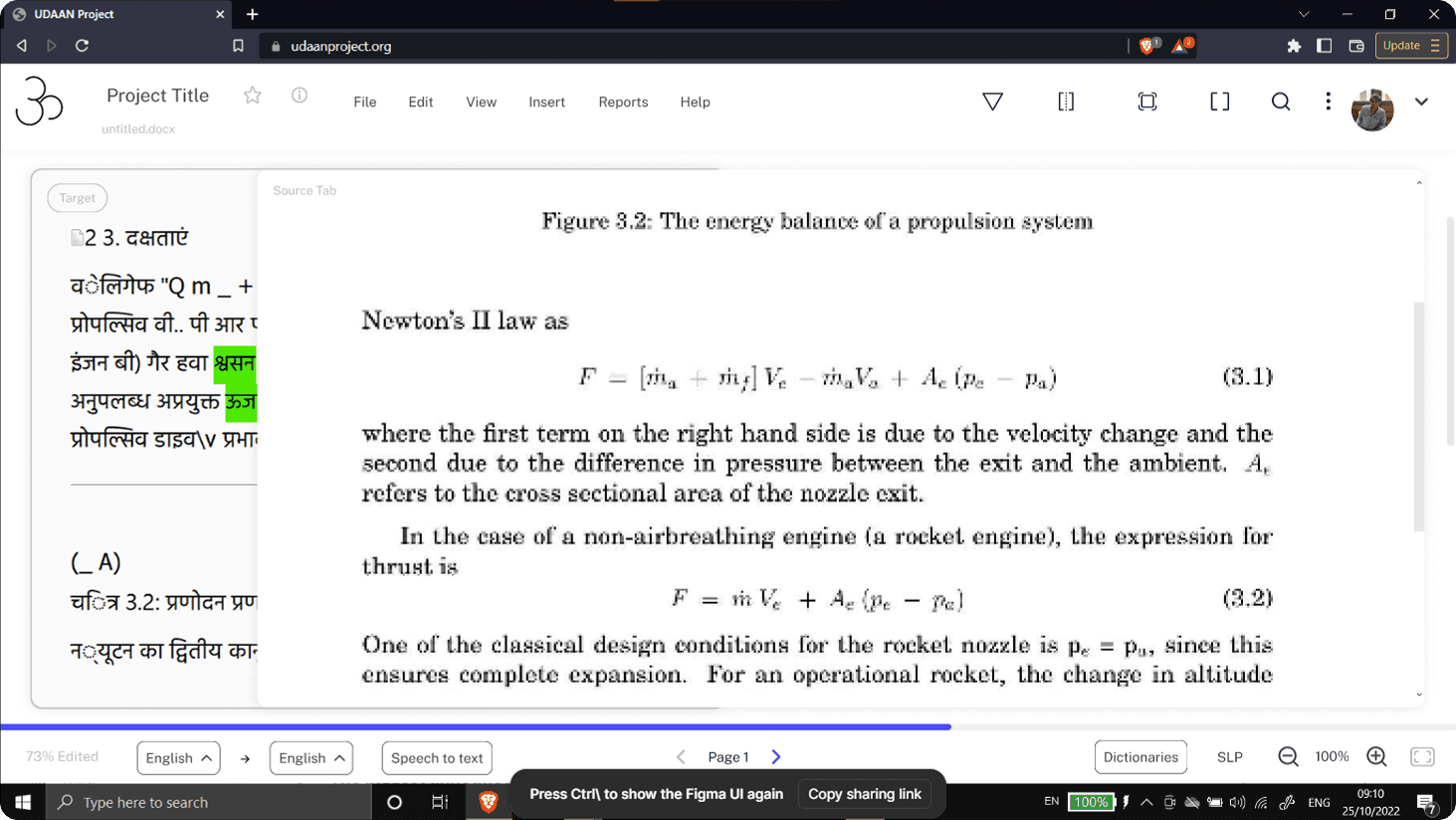
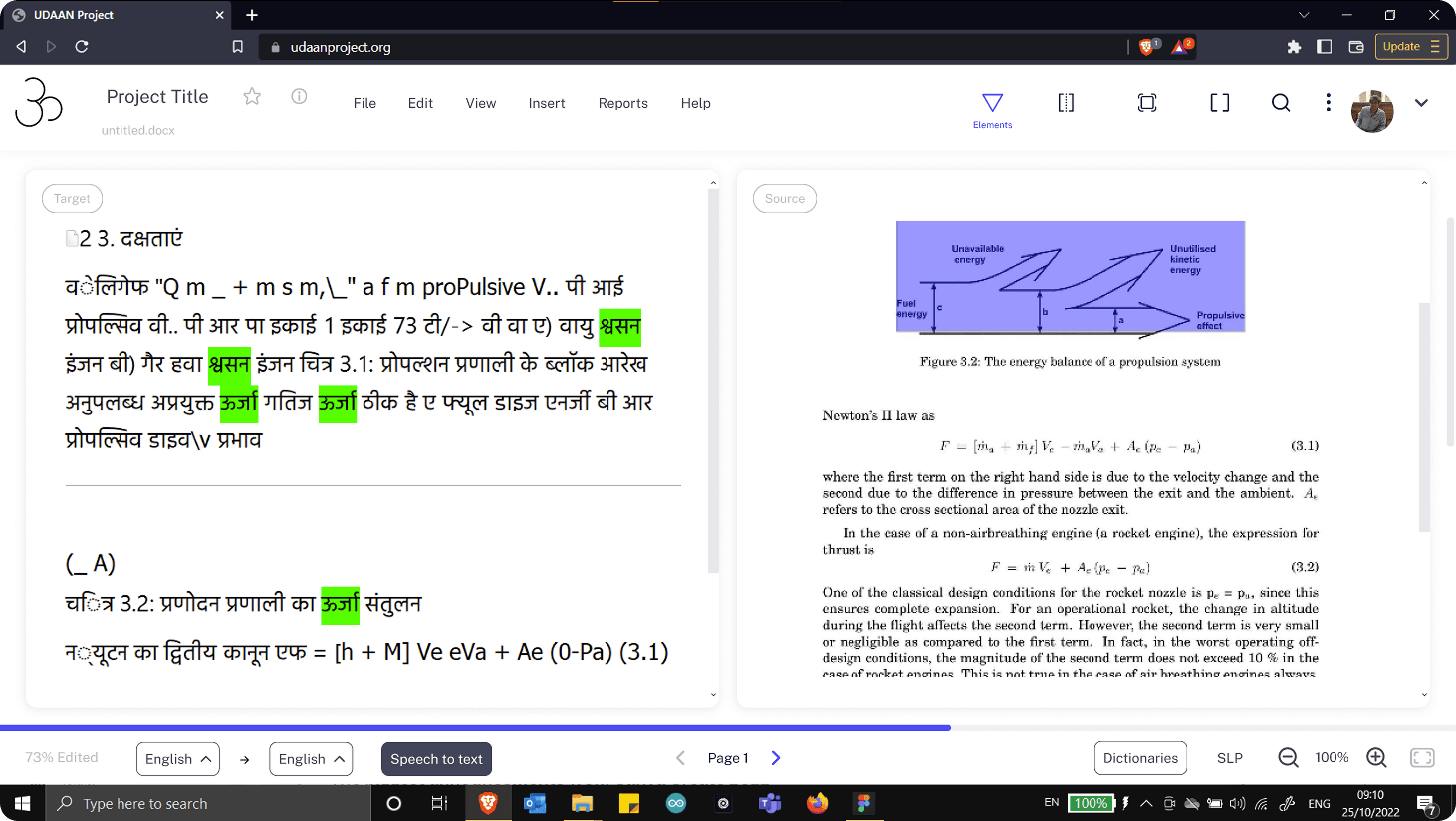
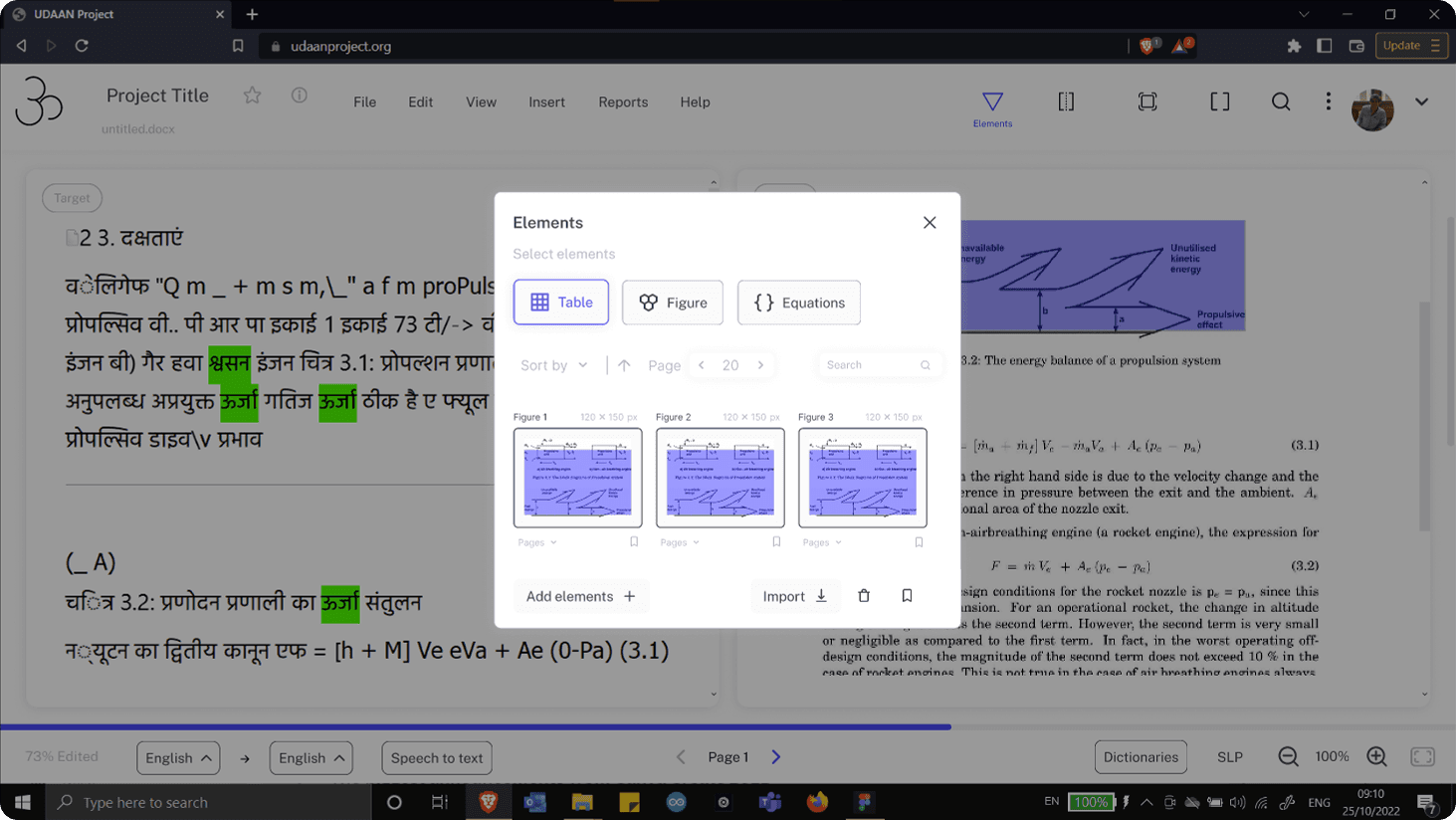
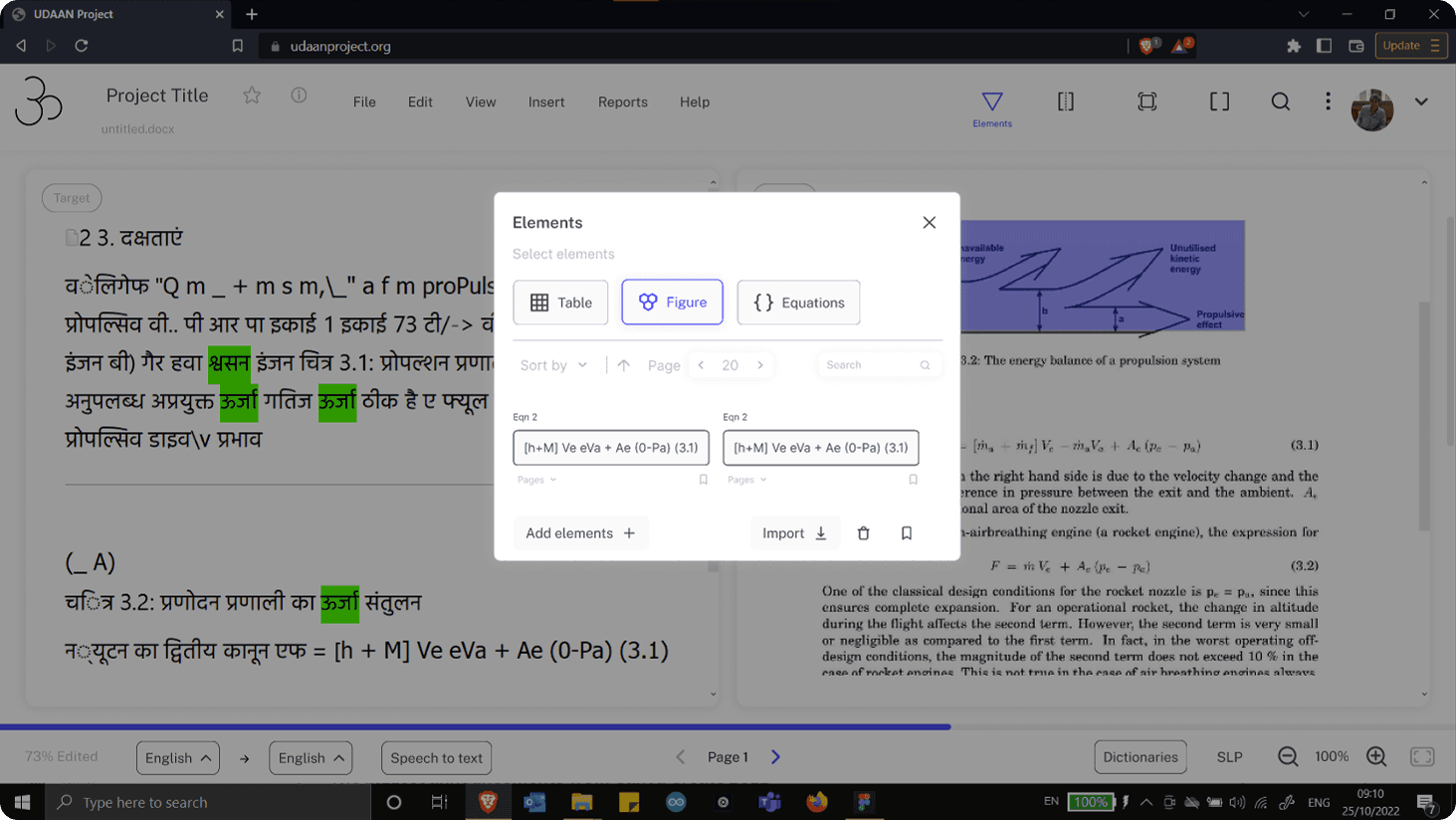
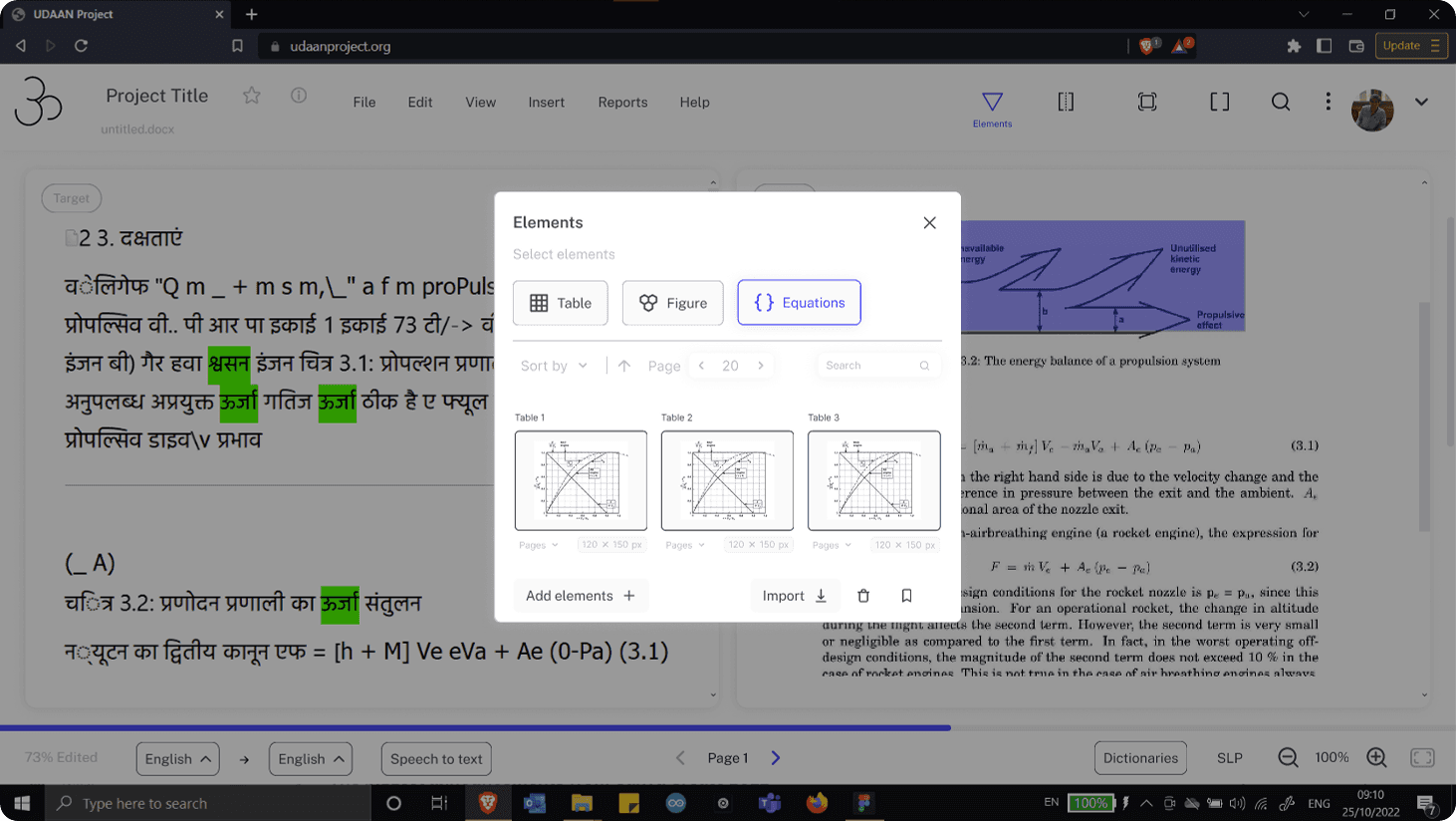
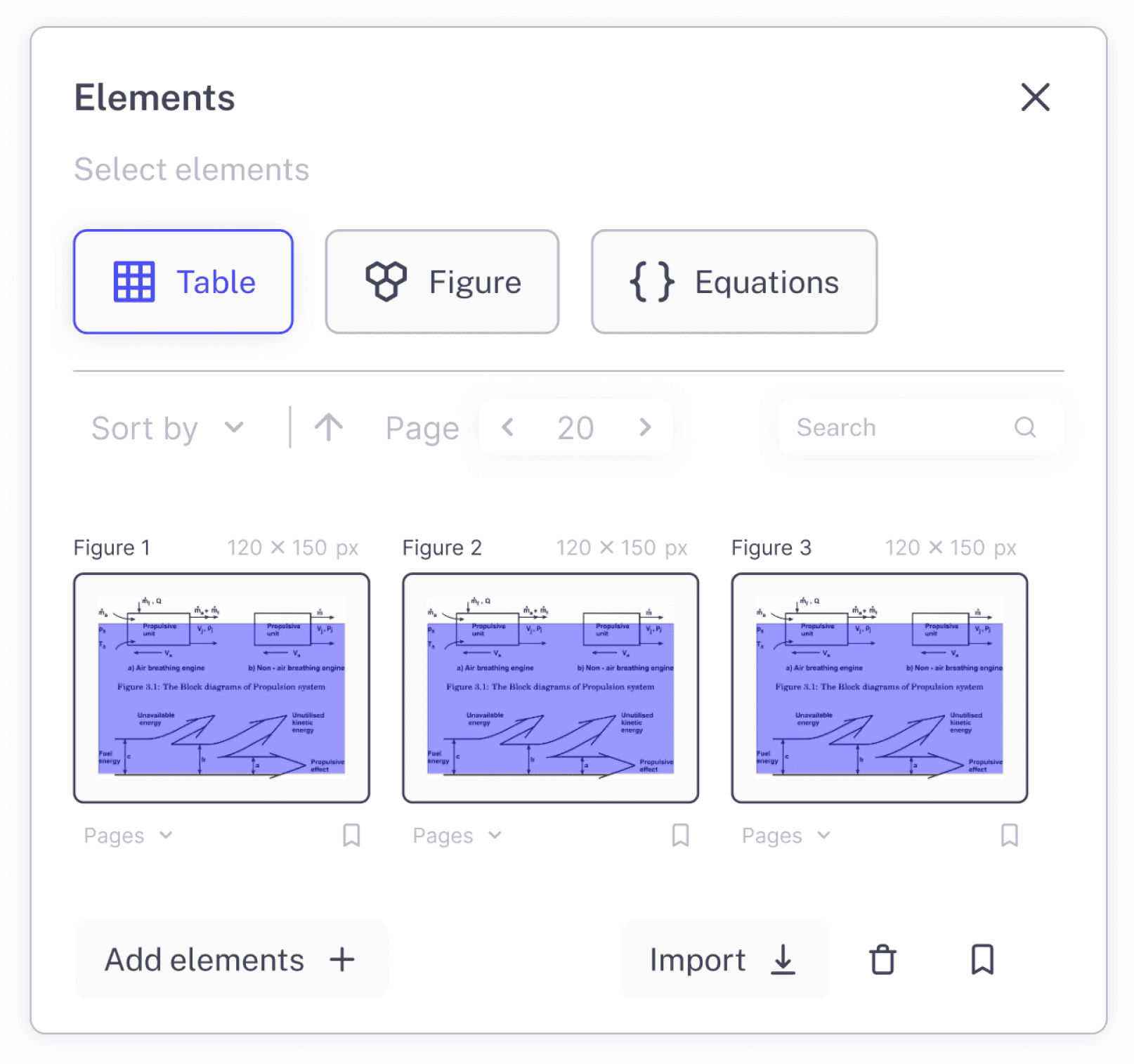
Elements Tab

Elements Tab

This section acts as a centralized repository for all non-text elements in the textbook, including tables, figures, and equations. Editors can add, save, import, and filter these elements across pages, with search support for quick retrieval.


By decoupling elements from individual pages, the system allows editors to reuse the same table, figure, or equation wherever it appears in the book. This reduces repetitive work, prevents inconsistencies, and makes it significantly easier to manage complex technical content at scale—especially in long engineering textbooks where the same elements are referenced multiple times.

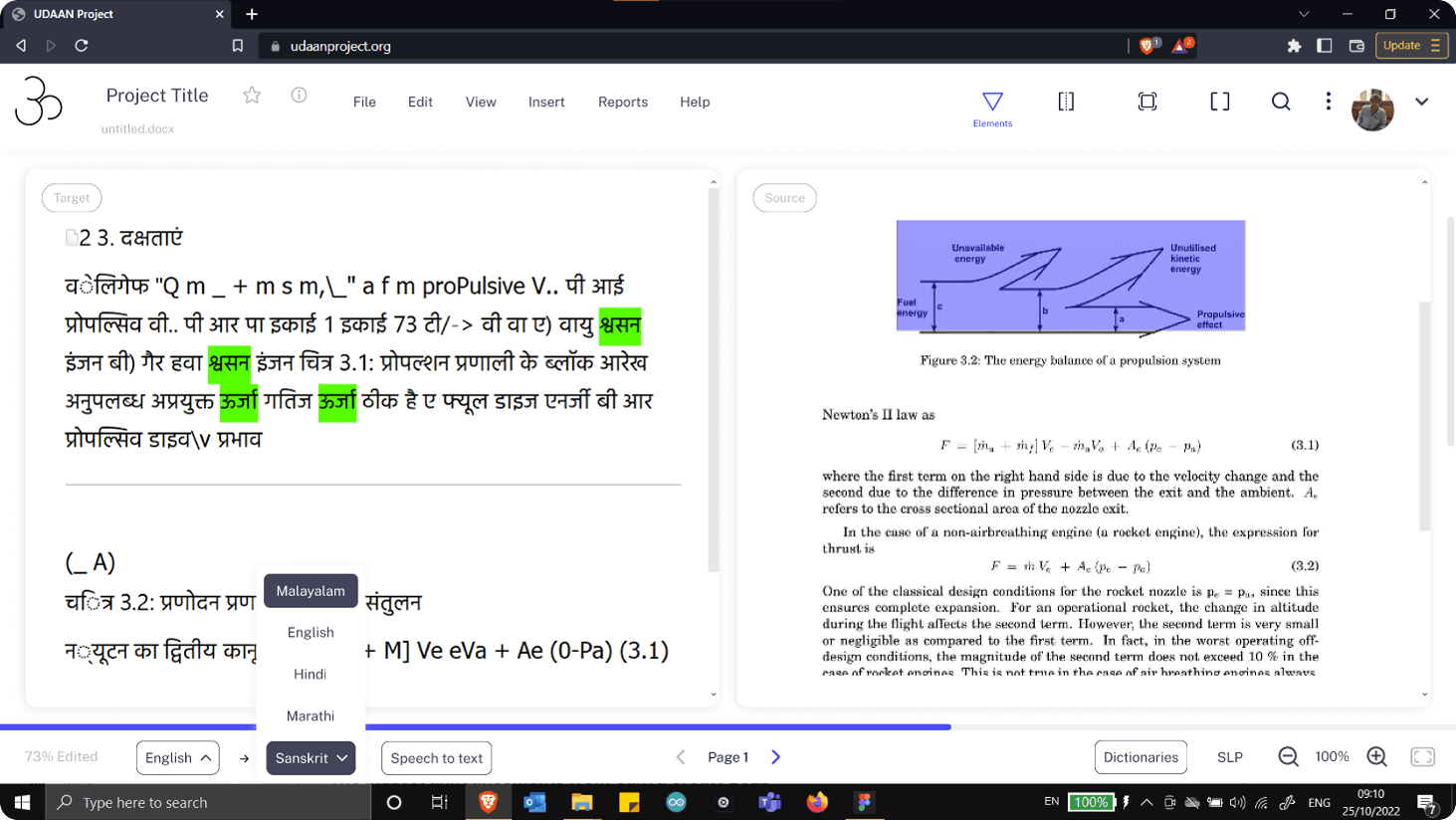
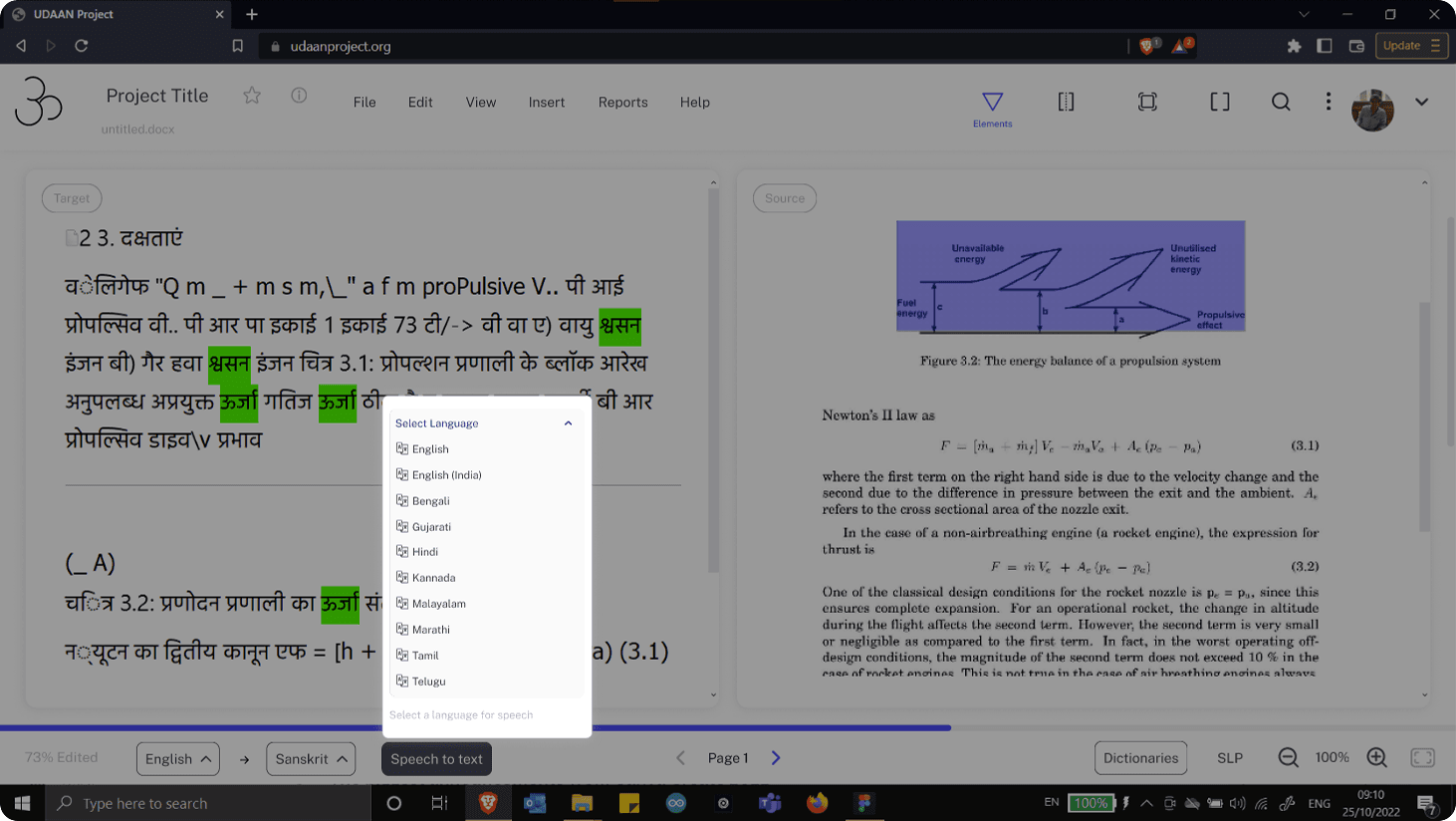
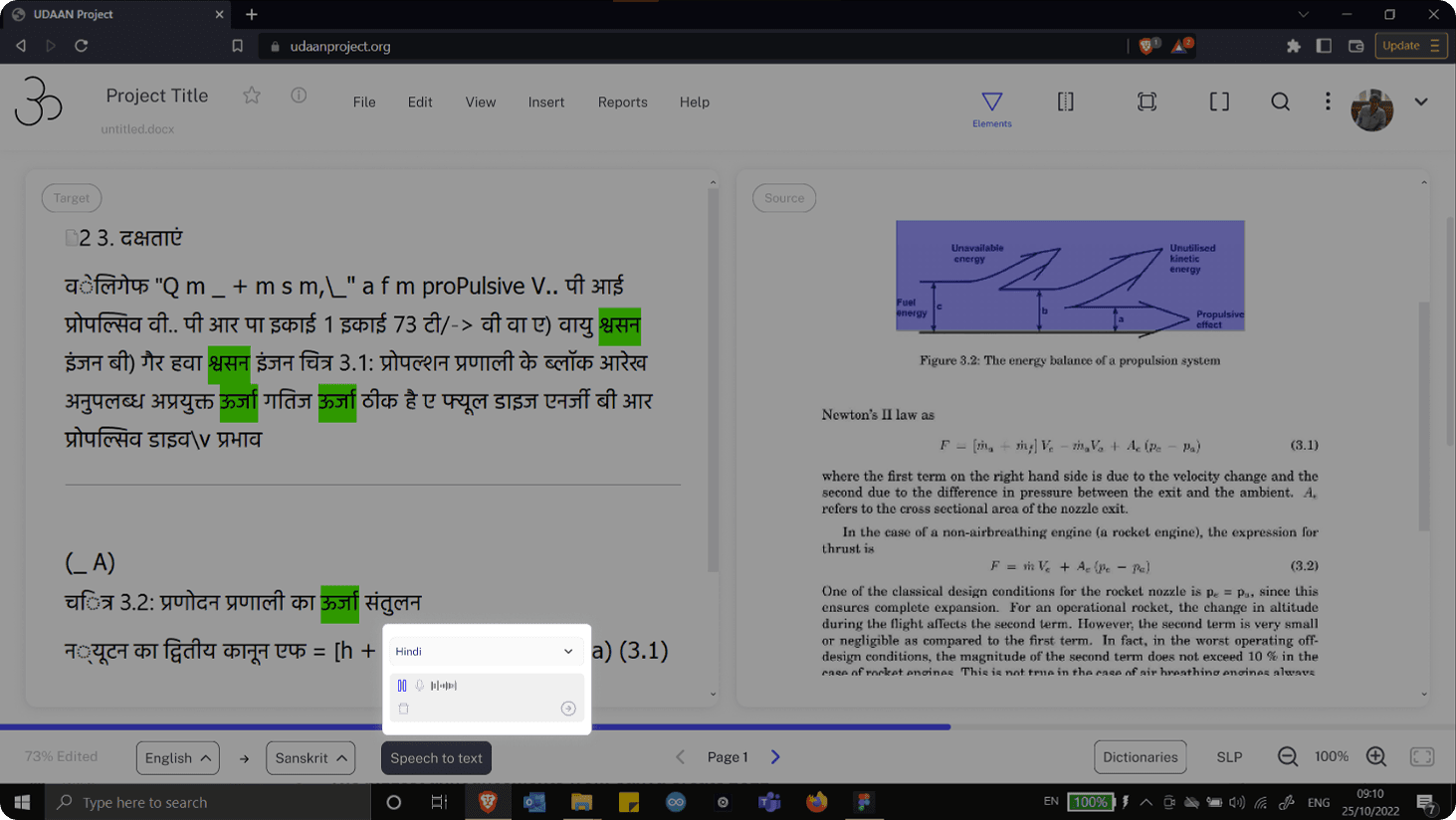
Speech-to-text

Speech-to-text

Text entry was simplified to reduce friction while translating in Indian languages. Editors can use speech-to-text to dictate phrases directly into the document instead of typing, which is especially helpful when working with complex scripts or long sentences.


The feature supports multiple Indian languages and gives users full control over the audio input—they can re-record, delete, replay, or confirm the transcription before inserting it. This allows post-editors to focus on accuracy and flow rather than struggling with keyboards or input methods, making the translation process faster and more accessible.
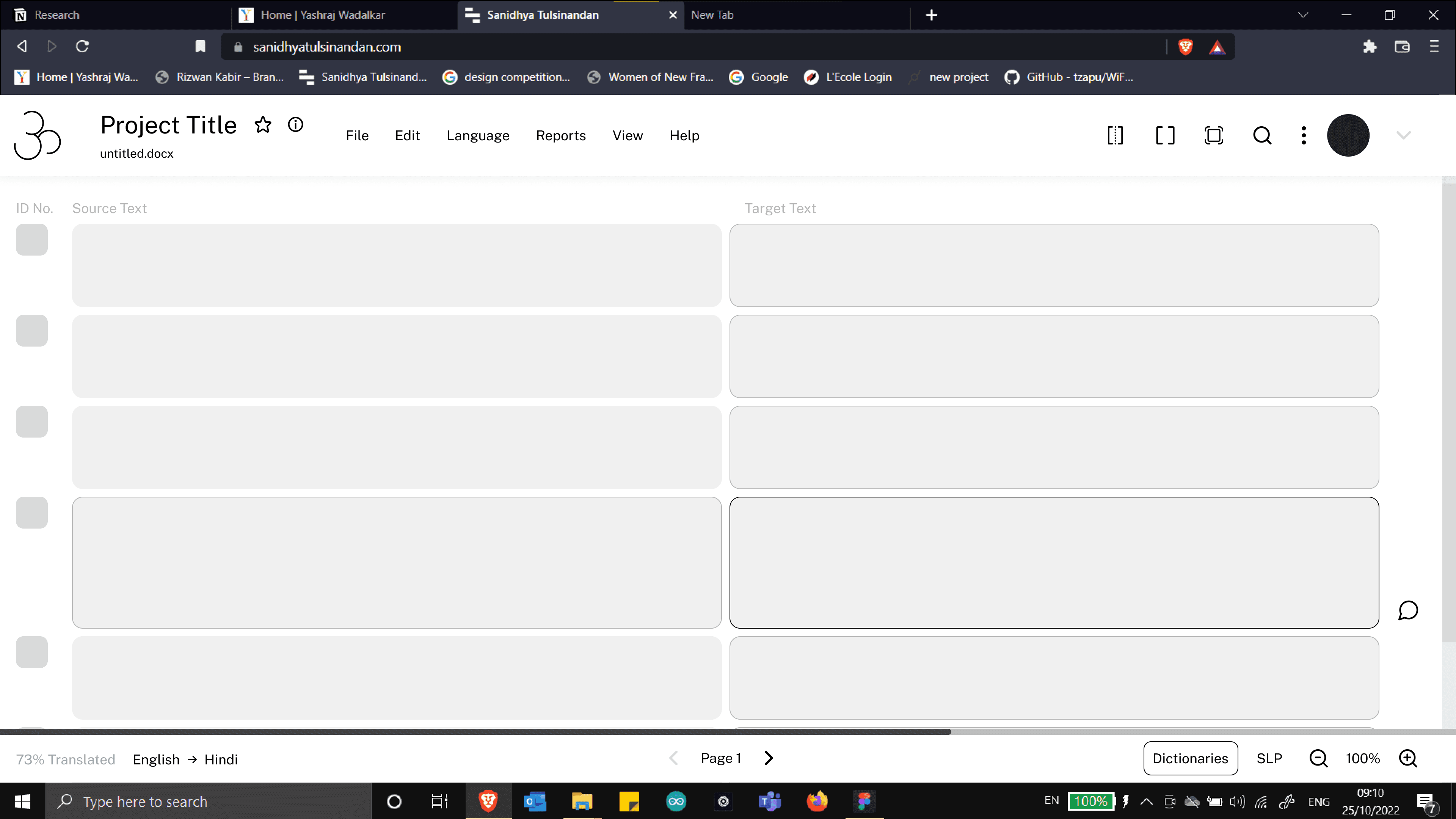
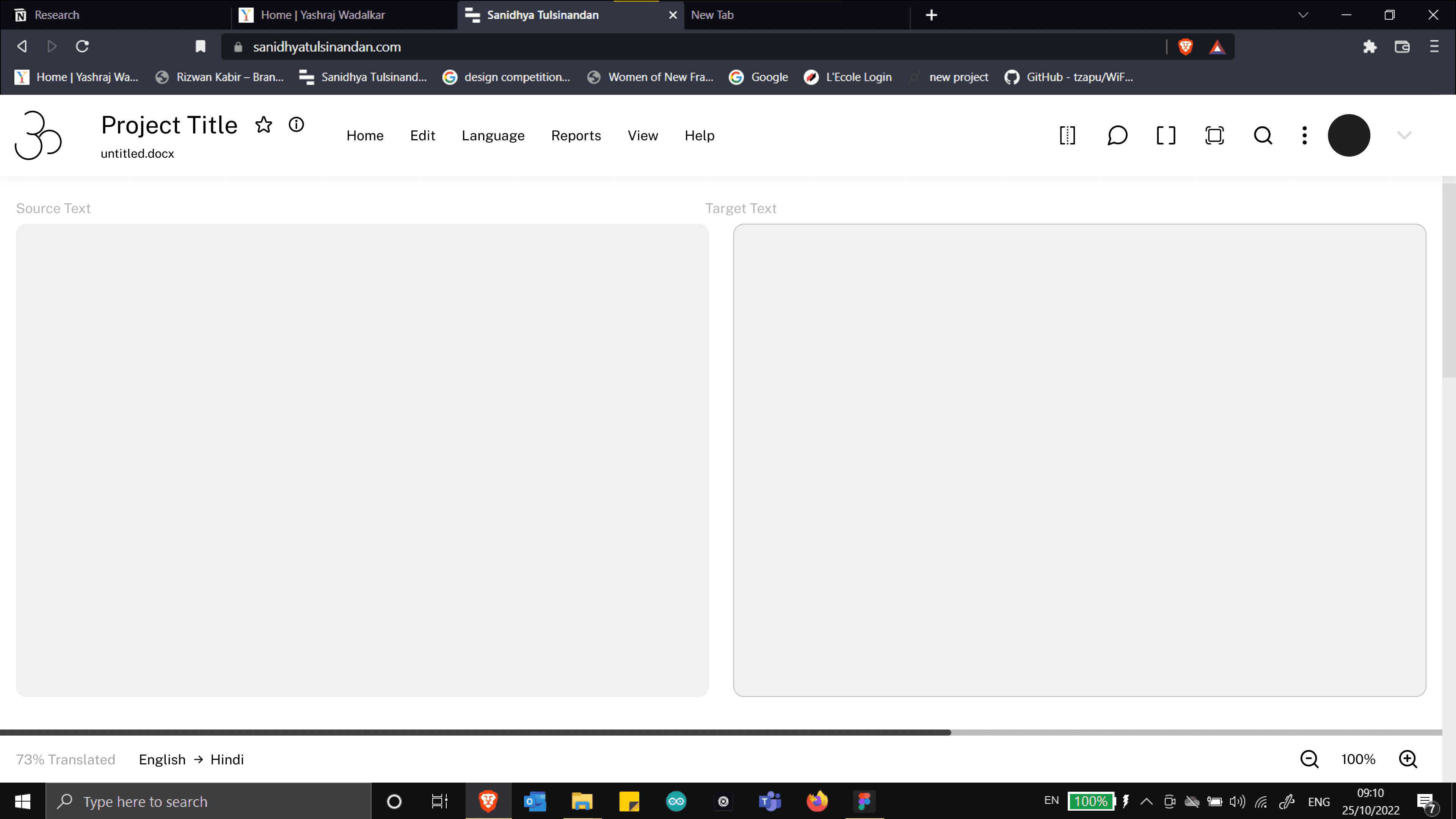
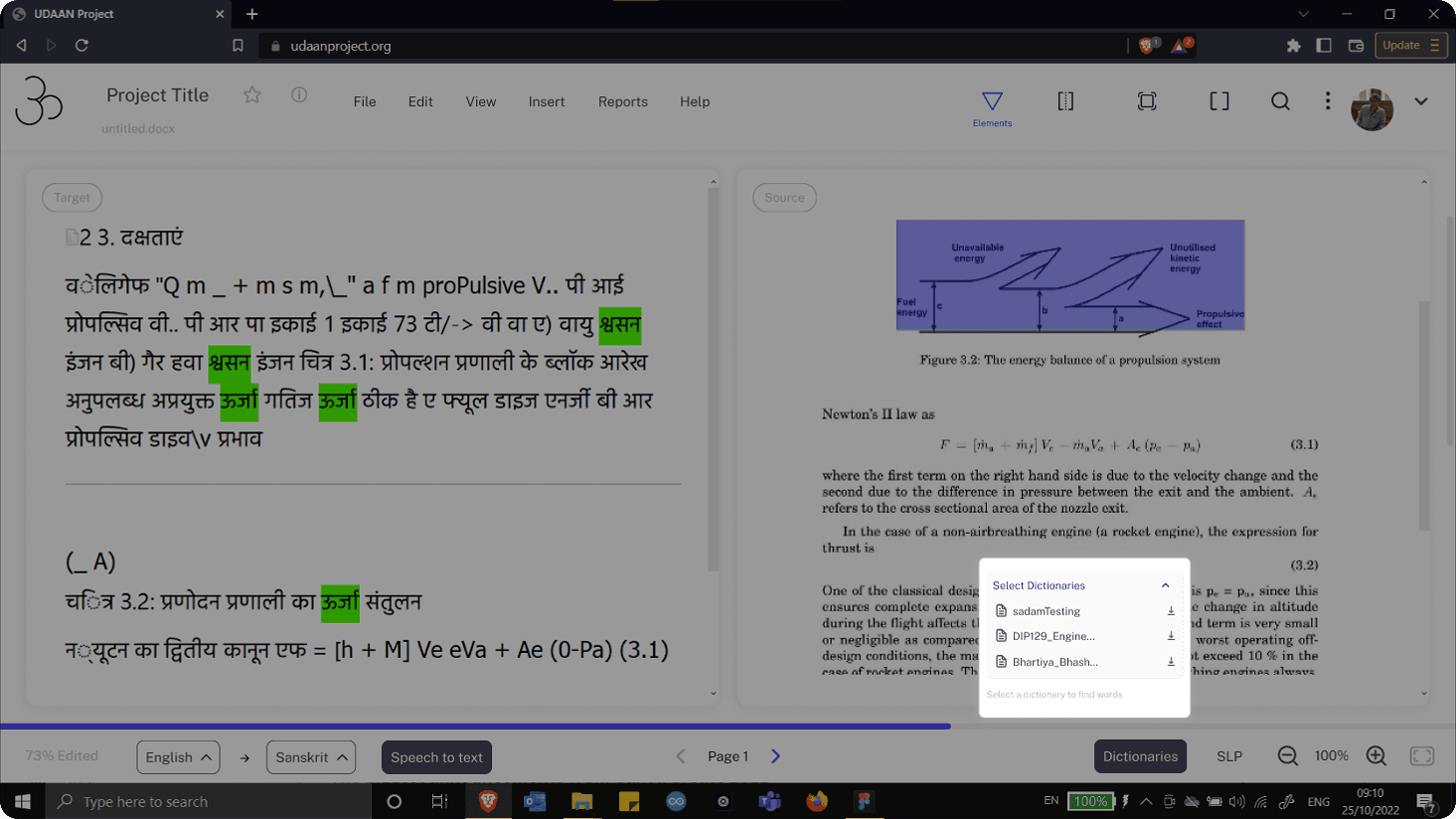
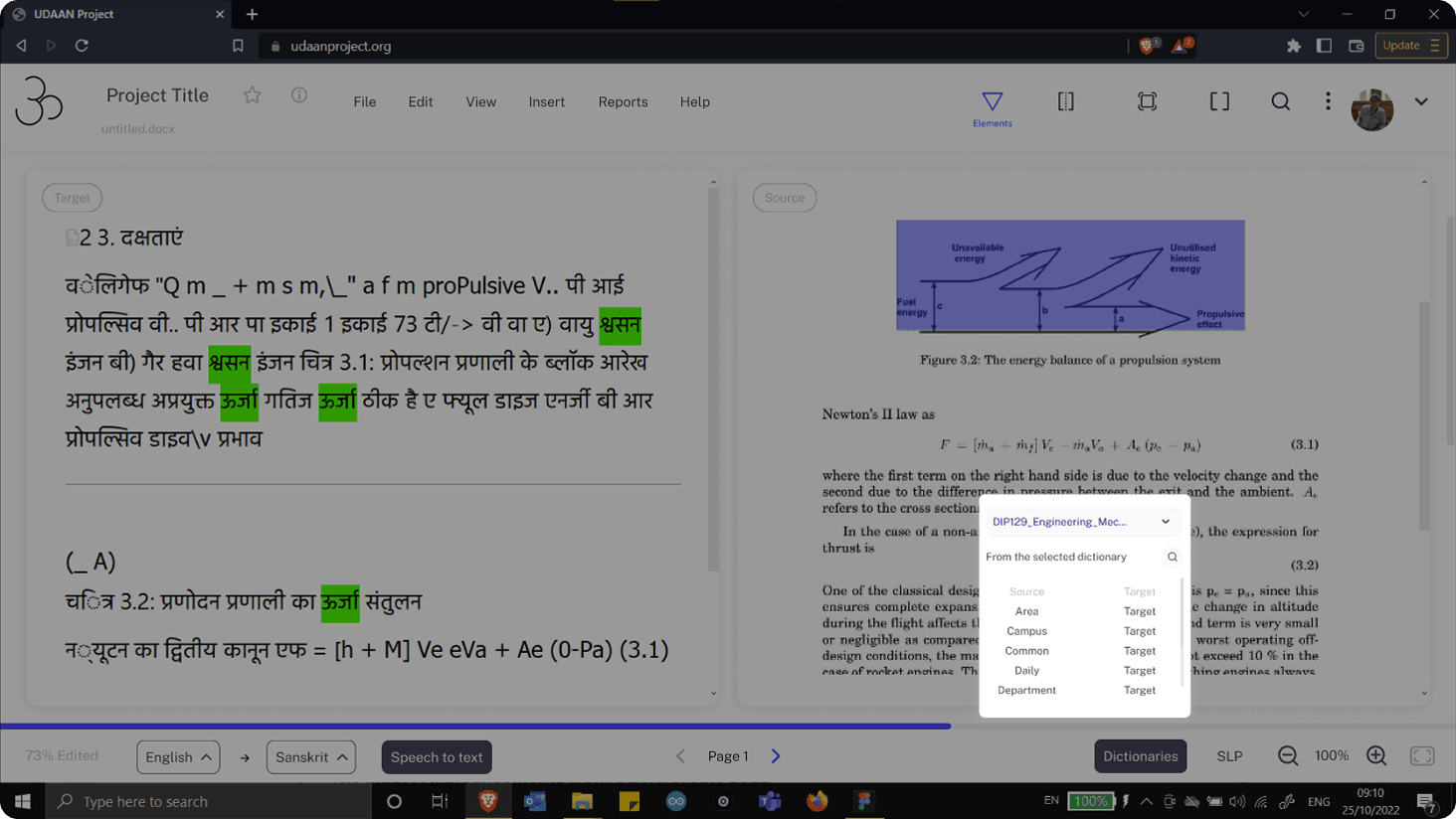
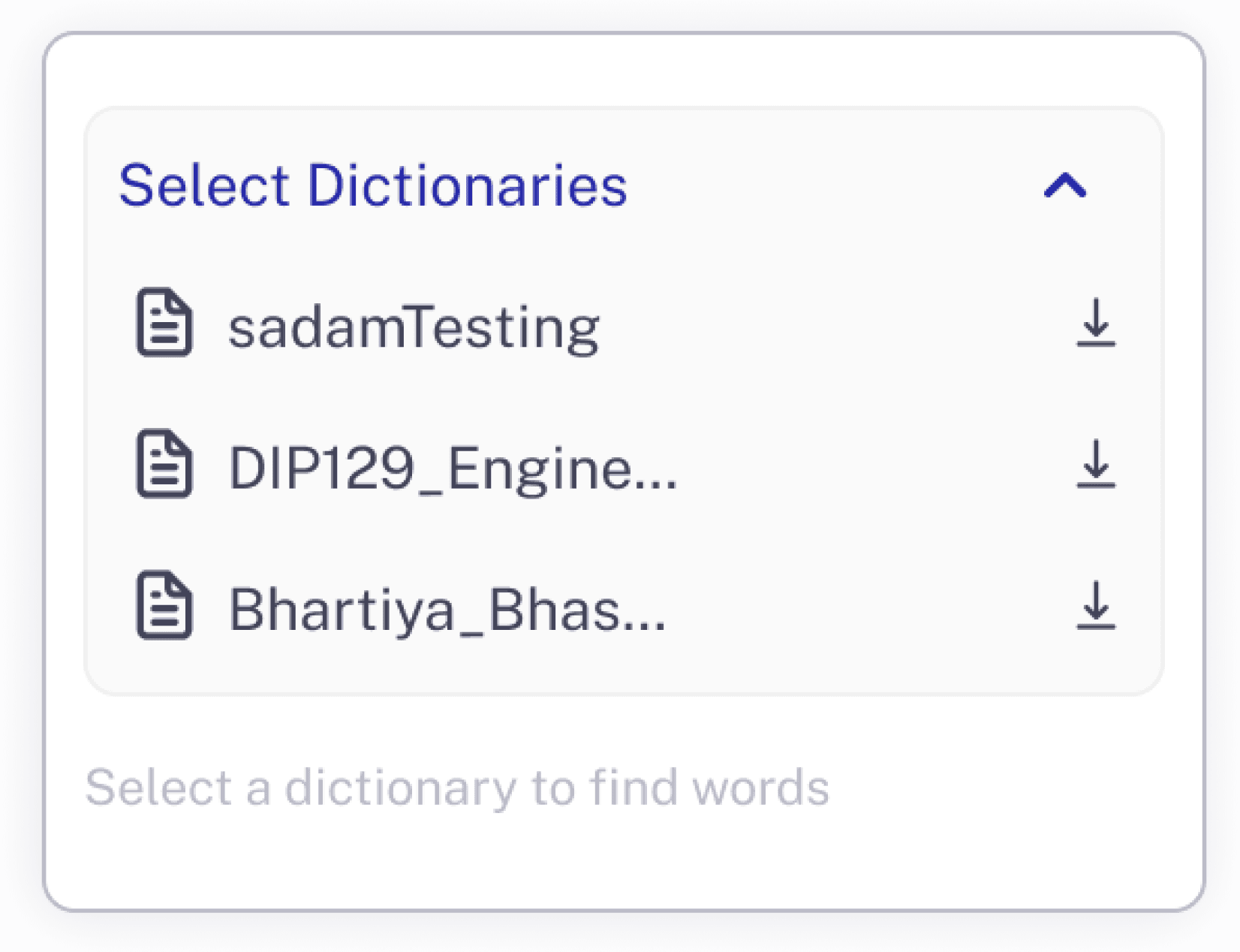
Dictionary

The dictionary feature provides a unified interface to search source and target terms across multiple dictionaries simultaneously. Editors can access all installed dictionaries in one place, eliminating the need to switch between external resources while translating.


The search experience is designed to be flexible and forgiving. Users can find matches across scripts and alphabets, allowing them to quickly identify accurate technical terms regardless of how a word is typed. This ensures terminology consistency across the textbook while significantly reducing lookup time during post-editing.

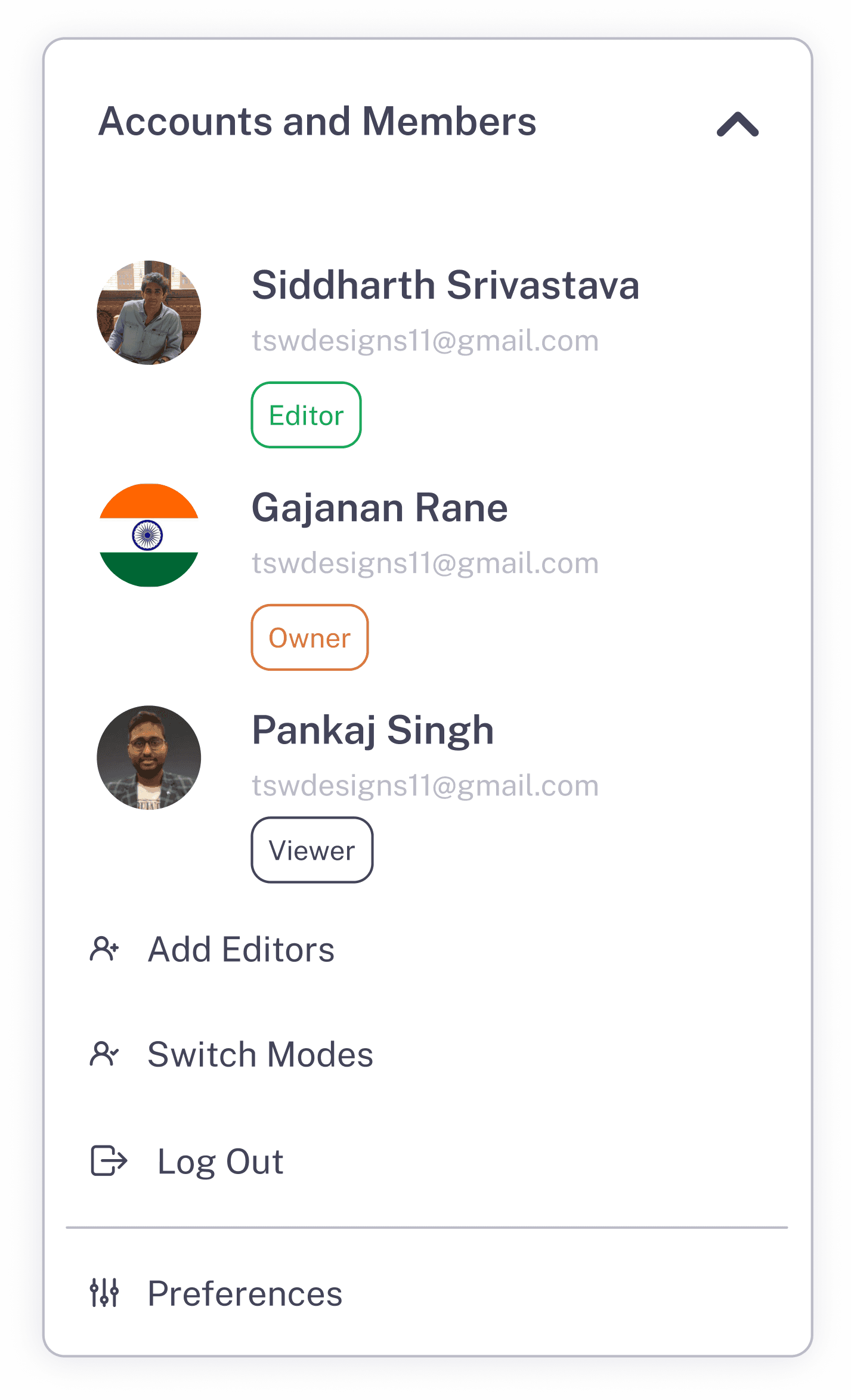
Users and personalization

Dictionary

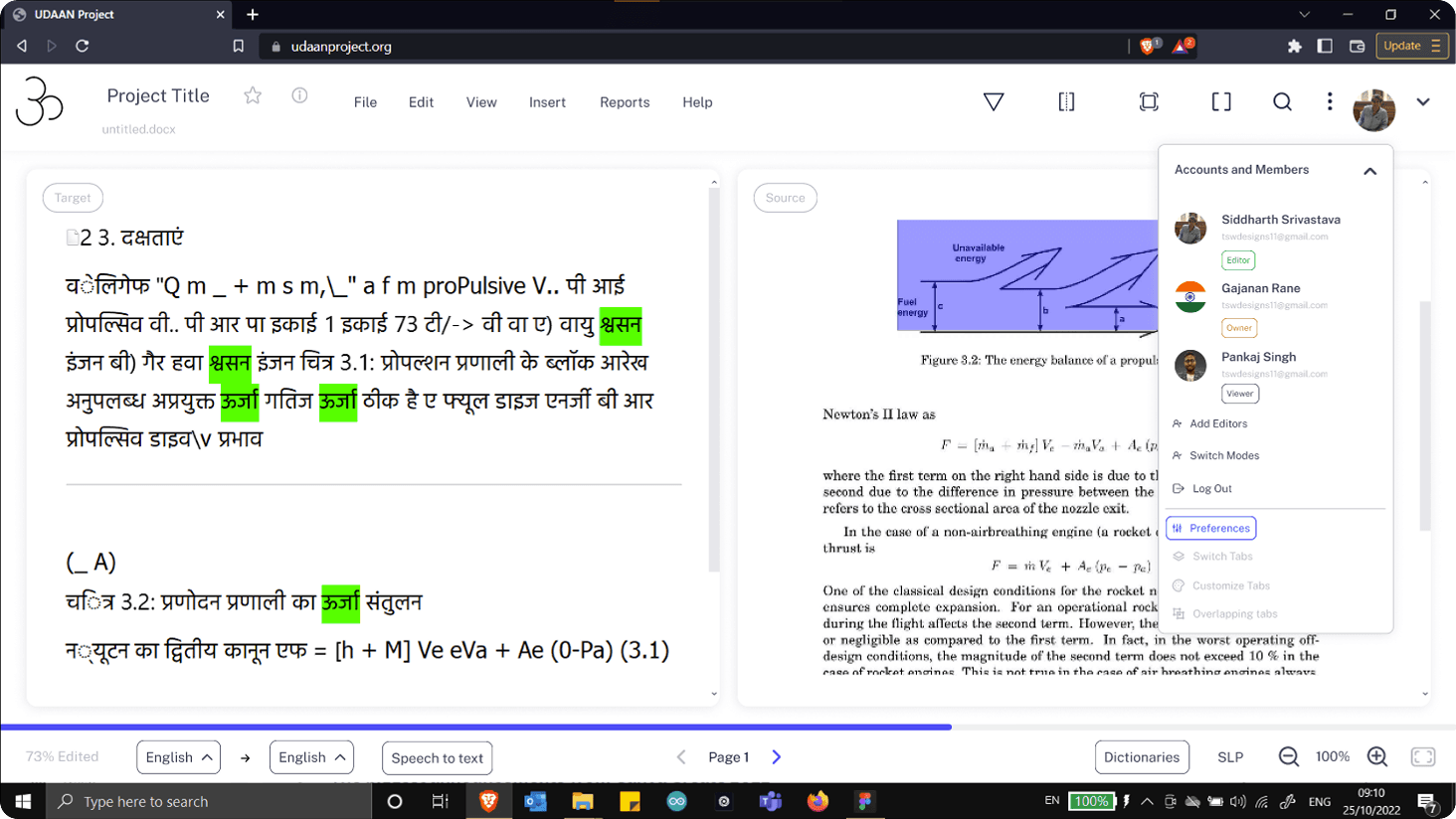
This section provides visibility into all collaborators working on a project and supports role-based access control. Editors and owners can invite new members, assign roles, and manage permissions to reflect real-world translation workflows.


Users can also personalise their workspace by switching tabs, customising tab layouts, and managing overlapping panels to suit their working style. Account actions such as logging out and updating preferences are centralised here, keeping collaboration and personalisation controls accessible without interrupting the translation flow.

The dictionary feature provides a unified interface to search source and target terms across multiple dictionaries simultaneously. Editors can access all installed dictionaries in one place, eliminating the need to switch between external resources while translating.


The search experience is designed to be flexible and forgiving. Users can find matches across scripts and alphabets, allowing them to quickly identify accurate technical terms regardless of how a word is typed. This ensures terminology consistency across the textbook while significantly reducing lookup time during post-editing.

Users and personalization

This section provides visibility into all collaborators working on a project and supports role-based access control. Editors and owners can invite new members, assign roles, and manage permissions to reflect real-world translation workflows.


Users can also personalise their workspace by switching tabs, customising tab layouts, and managing overlapping panels to suit their working style. Account actions such as logging out and updating preferences are centralised here, keeping collaboration and personalisation controls accessible without interrupting the translation flow.

Launch of the features

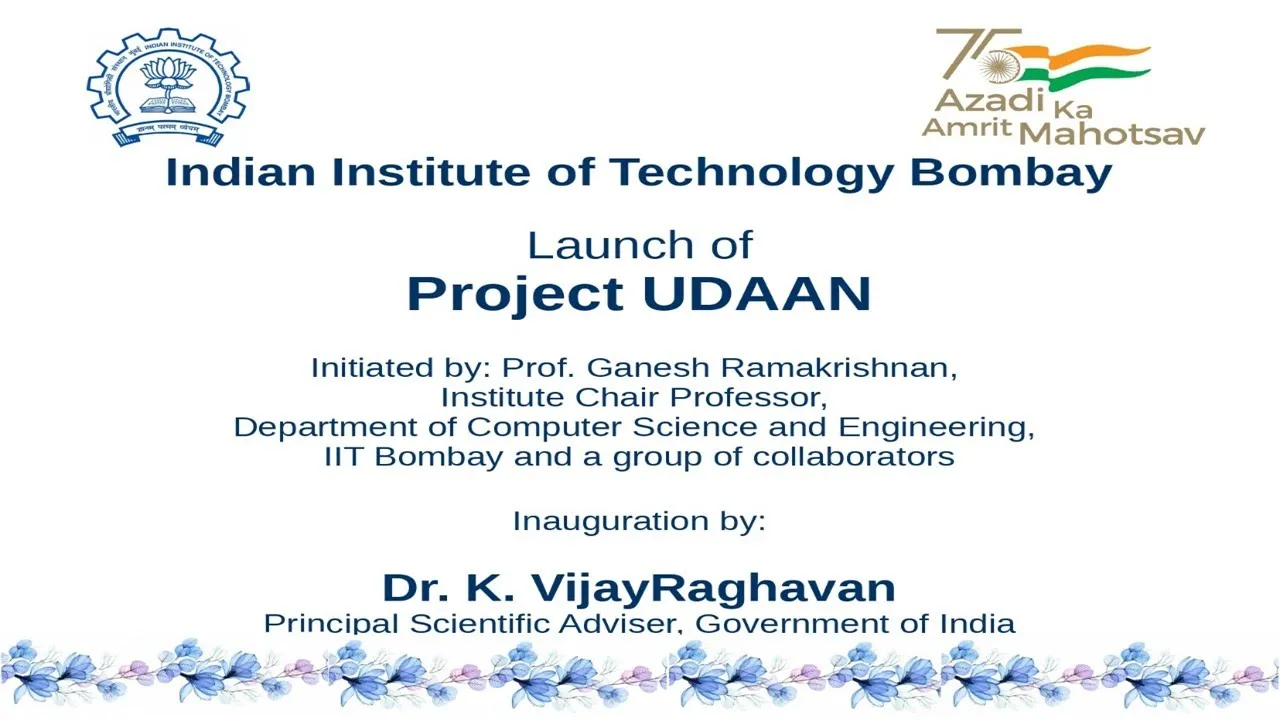
These features were approved by the team and the clients at IIT Bombay and were implemented in their final version of the Udaan tool, which was also presented to the Government of India during its launch. You can learn about it in this video:

Launch of the features

These features were approved by the team and the clients at IIT Bombay and were implemented in their final version of the Udaan tool, which was also presented to the Government of India during its launch. You can learn about it in this video:

  1. Understanding the domain and client's needs
  1. Listening to the users and the business team
  1. Synthesizing the data
  1. Cross-industry feature benchmarking
  1. Building the epics, use cases and setting priorities
  1. Prototyping with finesse

The old DEsktop application of iit bOMBAY'S AI-TRANSLATION TOOL

The old DEsktop application of iit bOMBAY'S AI-TRANSLATION TOOL

The prototype

The old DEsktop application of iit bOMBAY'S AI-TRANSLATION TOOL

The prototype

The prototype

Create a free website with Framer, the website builder loved by startups, designers and agencies.